Showing posts with label on. Show all posts

Sunday, November 23, 2014

Shopping Tips for Smartphone Tablets on Black Friday 2012

You may just want a new iPhone, iPad, or maybe the best-selling Samsung galaxy S3 and other android device, or Windows Phone 8 smartphones entering this year, but the price is somehow relative higher than you can afford. Don’t worry, as the holiday shopping season is almost around the corner. Due to a series of stores kick off some of its hottest "Black Friday" deals on that day, so it is the best time of the year for shopping. There are substantial discounts offered.

Until today, the Black Friday deals ads of Amazon, Best Buy and Wal-Mart have leaked online in the days. And For the first time, Disney Stores, Sears and Kohls are among the stores offering at least some of the same Black Friday deals to customers a few days before Black Friday.

It seems difficult to catch up all of that information to get a best Black Friday Deals. A smart and measured approach to buying will preserve your holiday budget.
Heres how to do Black Friday the smart way:1. Research the deals and compare the prices 

Thanksgiving is just two weeks away, now you should start mapping out a strategy now. Make sure which smartphone or tablets you want and how much you want to spend. Check out decide.com to help you, which uses data to help you whether you should buy the product or not.

Lists of websites already have posted stores Black Friday deals. Check out sites like bradsdeals.com and the blackfriday.com that list hours and circulars for the holiday weekend.2. Use social media: like Facebook and TwitterFollow your favorite stores Twitter feeds and click the "Like" button on their Facebook pages. Stores will use their social networks to update shoppers on deals and store hours, says Carey Rossi, editor-in-chief of ConsumerSearch.com. Wal-Mart Stores Inc., for example, unveiled its Black Friday deals on Walmart.com, its Facebook wall and mobile app on Thursday. Those who sign up to get email, download the app or "Like" its Facebook page will be among the first to get early access to special Black Friday store items to buy online and via the mobile app.

Meanwhile, Kohls Facebook fans will receive exclusive savings during the holidays through Friday flash sales.

3. Spread out the shopping: 

Consumers will Start Holiday Shopping Earlier this year.

Wal-Mart will start its first Black Friday sale at 8 p.m. Thanksgiving Day, two hours earlier than last year. It then will have two more rounds of sales events, including a 10 p.m. sale on electronics and another sale at 5 a.m.

Wal-Mart is also guaranteeing shoppers that it will have three of the most popular items if they are in line inside the store between 10 p.m. and 11 p.m. on Thanksgiving Day. The three include Apple’s iPad 2: an Apple iPad 2 for with Wi-Fi plus a $75 Wal-Mart gift card for $399.

Macys, Kohls Co. and Best Buy Co. will open again at midnight following Thanksgiving. Sears Holdings Corp. said its Sears stores will open at 8 p.m. on Thanksgiving and will stay open overnight until 10 p.m. Friday. For the first time, Sears will allow members of its free loyalty club called Shop Your Way to buy some of the early-bird specials online as early as Sunday, Nov. 18.4. Use your smartphone and tablets For the first time, Macys, through a partnership with eBay, has a Black Friday app that will let customers browse and shop for specials specific to the local store. Starting Nov. 15, customers will be able to view Black Friday specials on their mobile devices and create personal shopping lists they can edit and share.
Starting Nov. 19, Wal-Mart will again have a Black Friday local store map available to view and print on Walmart.com and its local Wal-Mart Facebook pages. But this year, customers can view an interactive local store map on the Wal-Mart mobile app and click on items to see the price, product description and location in the store.

Here is Walmart Black Friday full ad leaked: Galaxy S3, unreleased Samsung Stratosphere 2 and other Android handsets spotted:Android Smartphones$100 Walmart Gift Card for every Android smartphone purchase (with new two-year contract, therefore it’s available with the purchase of any of the following on-contract handsets) – offer valid from from November 23 through December 1
$129 Samsung Galaxy S3 – with new two-year contract
TBD Motorola Droid RAZR M – with new Verizon two-year contract
$49.88 HTC One X – with AT&T new two-year contract
$79.88 Samsung Galaxy S2 – with new T-Mobile two-year contract
$49.88 Samsung Stratosphere 2 – with new Verizon two-year contract
$0.97 Samsung Captivate Glide – with AT&T new two-year contract
$89.88 Motorola Photon Q – with new T-Mobile two-year contract
$39.88 LG Optimus Logic prepaid smartphone – $50 in savings
$39.88 Kyocera Hydro prepaid smartphone – $60 in savings
$45 unlimited Straight Talk plan
$55 unlimited Boost Mobile plan
$80 Verizon prepaid refill card: 2GB traffic, unlimited talk and text
$19.98 Virgin Mobile prepaid refill card: 1GB of trafficAndroid Tablets$129 8GB Nabi 2 – $70 in savings
$99 8GB Barnes & Noble Nook Color Tablet – $60 in savings
$49 7-inch Ematic TabletAccessories$12 Plantronics Bluetooth Headset
$39 Plantronics Voyager Pro Bluetooth Headset – $40 in savings
$14.96 cell phone charger
$39.88 Virgin Mobile 3G/4G Hotspot – $80 in savings
$19.88 iFrogz Boost speaker – $20 in savings
$14.99 Sony Earbuds with Mic – $14 in savings
$179.95 Beats by Dr. Dre Solo HD Headphones – $20 in savings
$10-30 off all Beats headphones

Will you be purchasing a new smartphone or cellphone for the upcoming holiday season? Do you have any other good shopping tips for Smartphone and tablets? Leave your comments.

Friday, November 21, 2014

Samsung working on Galaxy Glass

Samsung
Samsung has everything from phones and Tablets and kitchens conditioners and LCD TVs and other so far have been reports that it will enter into glasses smart to compete with glasses Google where the source said Korea Times is expected to bear the name of Galaxy Glass will be disclosed during the IFA and that in the month of Sep a conference, which we see them as a new generation of Samsung products such as Maroina hour Samsung Galaxy Kerr. unfortunately no information or assurances so but entry Samsung into the world of eye-wear is self-evident. Finally, the company may also working on glasses for sports lovers and again to no information.
Samsung

Monday, November 17, 2014

Samsung once again breaks its own record notes history in Galaxy S5s sales on the first day


The South Korean electronics manufacturer, Samsung has launched its 2014 front runner smartphone in 125 countries around the world, planning to hit the 150 mark in coming days, including United States and in here, Saudi Arabia, where the company recorded another history in their launch day sale for the Galaxy S5 handsets. It is said by the sources, that Samsung was able beat its own previously set record of their predecessor and 2013 flagship, the Galaxy S4s sales by over 1.3 times more, this time.

Even though we dont have the exact numbers at the moment, it is read from the description of sales performance that Samsung Galaxy S5s sales in some European markets surpassed twice that of the Galaxy S4 models sales in its first day. Samsungs official store in Madeleine, Paris, France sold about 200 units of Galaxy S5s in the opening hour, where else Galaxy S4s sales was reportedly two times down than what we are talking about.

What makes this phone so special? To remind you, the Samsung made Galaxy S5 rocks a Qualcomm Snapdragon 801 processor and Krait 400 CPU, clocked at 2.5GHz, 5.1-inches Full HD Super AMOLED screen of 1080p resolution display, 16 or 32 gigabytes of internal mass storage options (expandable via microSD card slot), two gigs of RAM, 16 megapixels primary camera on the back with OIS tech and LED flash light, capable of capturing UHD videos, a two megapixels secondary front facer, shooting footages at 1080p, Bluetooth 4.0, USB 3.0, NFC and 4G LTE Cat4 network support, other featured sensors like fingerprint reader, heart rate monitor on board, alongside Galaxy S attributes and Samsungs Smart features, a 2,800mAh powered battery, running Androids version 4.4.2 KitKat and companys own TouchWiz UI over the hood. The smartphone is now sold globally for about 699 United States Dollars in the Stateside and $599 around Europe and Asian markets.

Source: ZDNet Korea, GSMArena

Saturday, November 15, 2014

Forthcoming Motorola Shamu or Nexus X gets listed on Indias import database


We all know that Google and Motorola are together developing a new smartphone, probably the next generation Google flagship phone from the current Nexus line-up of Androids. The phone, reportedly codenamed as the Google Shamu or the Nexus X from the latest reports. The handset has already made a number of appearances on the web through details of graphics benchmarking and from other sources including the AnTuTus platform, clearing some of its most anticipated internal specifications. And as of today, we receive more evidence of the existence of the smartphone of this sort from the American centered manufacturer, where an Indian based cargo import database, Zauba, seems to have got listed the looming talked about smartphone on their official website, shipping it from the United States to Bangalore, India on the dates of 20th August, 2014.

Talking about the sources information reliability, Zauba has got a good track record in leaking certain devices that make its way to the country in South Asia, in the past. So, we assume that we will soon see the companies take their step forward and announce the new addition of stock Android loaded, Nexus smartphone, somewhere in the winter, between the months of October and November. Accordingly as seen from the filing attached below, a couple of Motorola Shamu prototype devices were headed to India on the aforementioned dates for some kind of demo purposes. The new document listed also confirms the phones model number to be like, XT1112. The price of the device shipped from the Stateside to India is written as ₹ 34982 per-unit, which makes around 578 United States Dollars. Does that make any sense on how the phone is going to price its upcoming smartphone? You tell us in the comments below.


Finally, what all are the hardware specs rumored for the Motorola Shamu or the Nexus X? Well, we may see the phone make it out of the box rocking a Quad-Core powered Qualcomm APQ8084 Snapdragon 805 processor, clocked at 2.7GHz and an Adreno 420 Graphics Processing Unit, a alleged 5.2-inches Quad High Definition screen of 2560 x 1440 resolution pixels, 32 gigabytes of internal mass storage capacity, three gigabytes of Random Access Memory and 13 megapixels primary lens on the back with 4160 x 3120 picture element. Of course, without any doubts, the device should come running Androids latest version L or 5.0 straight away.

Source: Zauba

Upcoming Nexus X goes detailed on AnTuTus benchmarking application


Motorola is reportedly in responsible for manufacturing Googles next generation flagship smartphone, that is/was internally codenamed as Google Shamu. The impending new smartphone from the American based consumer electronics manufacturer and their present generation LG made Google Nexus 5 successor is now allegedly said to be named as the yet to go official Nexus X, which was previously written as Nexus 6. Earlier this month, we have seen the handset make its way to the GFXBench and over AnTuTus benchmarking database, where now people at TK TECH NEWS have got their hands on with a few screenshots of the talked about phone getting resulted on their mobile based application.

First and foremost we see the benchmark scores it got on AnTuTus platform, with 35430 numbers in total, which slightly disappoints us in person when compared to the ranking of a Samsung made Galaxy Alpha, Galaxy S5, HTC manufactured One M8, Oppo made Find 7 and an LG made G3, though it gained more than than the Galaxy Note 3. From the pictures, the brand name to read as Google, and model being dubbed as the new Nexus X. Matching our previous reports on this guy, the phone has got the same Quad-Core Qualcomm APQ8084 Snapdragon 805 processor on board, running at 2.6GHz 2.7GHz and an Adreno 420 Graphics Processing Unit, we doubt a 5.2-inches Quad High Definition screen, mentioned at 2560 x 1440 pixels or 2K resolution display, 32 gigabytes of internal mass storage, three gigabytes of Random Access Memory and a 13 megapixels primary shooter on the back with 4160 x 3120 picture element.

Lastly, the purported phone will feature Googles most latest version of their Android mobile operating system, the Material Design enriched 5.0 or the L release, that made its debut as a Developer Preview, back in June, which is now rumored to be called as the brand new Lemon Meringue Pie, once it becomes available for the public, later this fall. Dont believe what we just reported, take a look at the images that just leaked from the source link, below.

Source: TK TECH NEWS

Friday, November 14, 2014

HTC M8 or The All New One is coming on AT Ts network


Another most talked about smartphone that is yet to be announced from the Taiwanese manufacturer, the internally codenamed M8 or unannounced, The All New One, is here in leaks again from Twitter, this time wearing the United States carriers branding on its back, as well as on the notification bar.

According to the most known leakster from the past, evleaks, the phone is reportedly coming to the Statesides carrier AT&Ts network soon after its official announcement this month, as HTC have scheduled a Press Conference in London, United Kingdom and New York, United States of America, the coming 25th of March, 2014.

As far as the new picture is concerned, the new leaked Press render aligns well with what we have been seeing previously, with its predecessor like aluminium finished body chassis, dual camera on the back with two-tone LED flash kind of setup, including HTCs own dual stereo BoomSound speakers and software on screen navigation buttons, from its front. Currently the handset is suggested to pack a Quad-Core Qualcomm based Snapdragon 800, 801 or 805 processor, clocked at 2.3GHz, 4.7-inches screen of 1080p resolution display, 2 gigabytes of RAM, two primary shooters with dual-tone LED flash light and a 5 megapixels (Ultrapixels) front facing camera, running Android platforms and Sense User Interfaces latest version over the hood.

Source: evleaks (Twitter)

Thursday, November 13, 2014

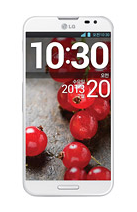
G Pro 2 coming on February 13 as LG schedules an event


The South Korean manufacturers upcoming announcement and their next generation phablet, the G Pro 2 has been in talks for a while, and as today the company sends out invitations for the Press media for their event, pre-Mobile World Congress. The Koreans have scheduled a conference in their homeland, West Tower Auditorium, Seoul on 13th of February, 2014, from timings between 10:30 AM to 1:00 PM, local.

Last month, weve got the firms confirmations on their upcoming phablet flagship handset and the successor model to their current G Pro, which was hinted coming this month, and we guessed it to be a MWC shows topper from LG. Following the news, we also saw the device in a couple of allegedly leaked photographs. But as today, the company have its Press invites live, we really doubt to witness the LG made G Pro 2 come to the show, as they dont have any other major phones in their pipeline.

So, the basic reports and rumors suggest us a Qualcomm Snapdragon 800 processor with a six-inches Full High Definition screen of 1080p resolution display, 3 gigabytes of Random Access Memory and packing Androids version 4.4 KitKat out of its box.

Source: ZDNet Korea

Tuesday, November 11, 2014

How to Install Vodafone 3G USB Modem on Ubuntu

Configure Vodafone 3G Modem on Linux

Vodafone offers HUWEI K3570-Z USB Stick for their 3G wireless broadband plans. If youve purchased this 3G USB Modem from vodafone then its very easy to surf on windows. The real challenge is in connecting the modem to linux operating system and get it working. In this hub youll learn how to connect this modem to linux distro - ubuntu. The Information presented on this hub applies to any other linux distro but you have to find respective files from repository on your own as i cant cover installation instruction for every distro out there.

As per my testing current tutorial works for :

  • Ubuntu 10.04/10.10/11.04/11.10
  • Kubuntu
  • Fedora
  • Eee PC


There are two ways to connect USB Modem to ubuntu. First method involves installing usb-modeswitch library and manually mounting the USB drive. Second method involves usage of sakis3g library that makes connecting to the internet very easy. So its upto you to choose any one of these methods and get yourself connected to the internet.

Vodafone
Vodafone 3G USB Mounted on Ubuntu

Method 1: Installing 3G USB Modem on Linux

In case of ubuntu you need to open synaptic package manager and download these two libraries. 

usb-modeswitch
usb-modeswitch-data

If youre downloading these libraries via terminal then dont forget to install them. Once you get these two packages installed, you need to set your file manager for manual mount and run for CD and USB devices. So you have to disable the automount andautorun. 

You can do that by following these instructions.

Press ALT+ F2 and type  gconf-editor (Without the quotes)

Youll find new window with configuration settings. Click on apps folder and then navigate to nautilus, double click on preferences directory. Youll see some options of right hand side panel. 

Uncheck the following options:

  • media_automount
  • media_automount_open


Check this option

media_autorun_never

This step will stop ubuntu to open 3G USB modem device as a folder and it just mounts the device when you connect to it. Now that you have everything setup, you can create configuration for this USB modem in network connections. You can connect to the internet by browsing this new configured profile from here. If you dont find the modem in the list of profiles, you can reboot the machine again by keeping USB stick connected. This way youll find the profile in the list and you can connect easily.

Method 2: Sakis3g Script to Connect USB Modem

In comparison to previous method connecting your modem using sakis3g is relatively easy. It has usb-modeswitch library built-in and it also supports many vodafone and other network regions around the world. Sakis3g has many ubuntu python developers that are maintaining vodafone support on this script. 

Following 3G USB Modems are tested and found working with sakis3g:

  • ZTE K3570-Z
  • K3565
  • K3765


For ubuntu follow these steps to install sakis3g. 

sudo apt-get install ppp
cd /usr/bin
wget http://www.sakis3g.org/versions/latest/sakis3g.gz

sudo gunzip sakis3g.gz
sudo chmod +x sakis3g

Here im using sudo before every bash command because ubuntu requires sudo permissions to do anything on bin directory. Once you get it installed just run the following command on terminal. 

sakis3g status

If its installed successfully you can proceed to running the script with command sakis3g. If not then you have to clear all the dependencies issue or any other issue. 

Entering the sakis3g command in terminal will open a small window that asks you to choose options. First option is connect to 3g. Select this option and click OK. Next option will ask you to choose between interface 3 or 4. Choose interface 3 and click on OK button. Next option wil ask you to choose generic driver or kernel driver. Choose generic driver and see if installation proceeds. Dont worry if it throws errors. Just keep on changing the options until it works. Then finally when you get option for APN_username and APN_Password. You have to consult with your vodafone operator for help. Or just ask in regional forums for help. In my case vodafone india has www as username and blank password. It worked for me but it may not work for you.

Sakis3g quits while entering the pin in some cases but I simply restarted the script every time and randomly it worked. Once it works, Just create an desktop shortcut to save your future hassles of entering the details. At the end, you have to keep testing. 

Once you get the sakis3g running, itll tell you that its connected. Dont forget to have desktop shortcut for sakis settings as it makes it easy for you to run the connection script every time you boot or whenever you want. 

Hope this helps to those who are searching for a way to connect their vodafone usb modem to the internet.

Thursday, November 6, 2014

LG is inviting the media to their Press Conference on May 27 and 28


LG has issued Press invites to the media for their upcoming Press Conference, that is about to take place in six different parts of the world. So folks, you will have to mark your calenders for the dates of 27th and 28th of May, next month, to see whats next for this big South Korean consumer electronics manufacturer.

LG will hold events in San Francisco and New York in United States and in London, United Kingdom on the first day, which is on May 27th, followed by Seoul in South Korea, Singapore and Istanbul, Turkey the next day, on May 28th. Their new invitation is read as, "To be simple is to be Great" -Ralph Waldo Emerson.

As we already know what the Koreans are all hinting about, with the prominence given to the letter "G" from the companys invitation post. We expect Lifes Good to announce and unveil their next generation 2014 flagship handset at their upcoming event, the rumored and leaked, LG G3. Also to cement our hopes, we saw, LG acknowledging its plans to higher its Quarter 2 revenue with the announcement of their 2014 front runner smartphone, the LG G3, in their Quarter 1, 2014 earnings reports that made its way out yesterday.

In the past we have seen leaks of the smartphone, coming out, suggesting us how its internal specifications are going to be like, then we saw the retail box of the G3 leak in Gold color option, again hinting to see the phone go official in a Gold flavor at launch. Following that we also saw some more of its screens leak, telling us about a 2K UHD resolution screen, cases that went on sale, tipping us its design and lastly the phone itself made its debut on camera, the past week, showing of its newly designed physical button on the back. Anyways we will have to wait until LG event goes live on 27th of next month, and see officially whats really cooking deep in their pipeline.

Source: The Verge

Thursday, October 30, 2014

How to freely enjoy your DVD collections on Windows 8 1 8

If you get a new Windows 8 or 8.1 computer, you might be surprised to find out that it wont play your DVDs as Microsoft. In fact, Windows 8.1 still can’t play DVD movies out of the box. To get DVD playback from Microsoft, you’d have to buy the Windows 8 Pro Pack for $100 and the Media Center Pack for $10 — and that only gets you DVD playback!


Then how to avoid paying Microsoft another $110 and let you enjoy DVD collections freely? Here offers the best way to get DVD playback on Windows Windows 8.1/8.

What you need:

To play your DVD movies without any hassles, you need to look for a DVD ripper that is comptible with Windows 8/8.1 to help you rip DVD in Windows computer. Look no further! You’ve come to the right place.

Here, Pavtube DVDAid is highly recommended for its good reputation, easy-to-use interface and quick conversion speed which makes converting DVD movies in Windows 8/Windows 8.1 AS EASY AS A PIE. In addition, it provides hundreds of video presets for portable devices like iPhone 6, iPhone 6 Plus, iPad Air, Samsung Galaxy Note 4, etc. Don’t hesitate to get it now and follow the easy steps below to make your DVDs playable anywhere in Windows 8/Windows 8.1.

How to rip and convert DVD in Windows 8/Windows 8.1

1. Load DVD movies

Click "DVD disc" icon to load DVD movie files directly from your DVD disc via the DVD ROM.


(Note: Dont forget to select subtitle and audio track for output.)

2. Choose an output format

Click "Format" drop-down list and choose proper format for different using.


For instance, if you simply want to back up DVD to external hard drive, here are two solutions:

a. Click the "computer" icon on the top to output 1:1 DVD file exactly the same as original.

b. Select "Copy > Directly Copy" in format list to output an intact VOB file of the main title.

Tip: If you are not satisfied with default specs, then click "Settings" to enter Profiles Settings windows. You can customize video frame rate, bitrate, size and other settings freely. (It does not work for directly copy)


3. Start ripping

Click "Convert" button to start ripping Blu-ray movies on your Windows 8.1/8. When finished, click "Open" button to get the resulted video. Then connect your portable devices to your computer and transfer ripped DVD movie for watching and viewing with best video quality on the go.

Monday, October 27, 2014

Keep the 3D Blu ray Disc Jack the Giant Slayer on your Hard Drive for watching

In order to be a giant slayer, one must first have giants. Luckily for Jack, played by Nicholas Hoult in Jack the Giant Slayer, he’ll get a chance to earn his moniker by battling Fee, Fye, Foe and/or Fumm. We’ve got a great look at the four named giants from the famous “Jack and the Beanstalk” quatrain in addition to some giants with unfamiliar names (Fallon?) in these newly released posters from the Bryan Singer film.


Jack the Giant Slayer is now in 3D Blu-ray version, it will bring us an imaginative fantasy realm straight into our room without going to the cinema. Need to back up your favourite Blu-rays like "Jack the Giant Slayer" on your hard drive, then you can easily get the 3D movies playback on any device?

At first, to backup Jack the Giant Slayer 3D Blu-ray Disc to Hard Drive, you need to a third-party software to backup Blu-ray discs without sacrificing the picture quality seems to the best choice for you. And for those who rent lots of movie of discs, it is also a great way to copy the discs for future watching.

Here Pavtube Blu-ray Ripperis a professional program in making digital copy of Blu-ray. It can rip the latest 3D/2D Blu-ray and DVD and convert to various video formats for some popular smartphones and tablets as well as editing software. Simple interface and CUDA acceleration will bring you an easy but effective conversion. The following guide will show you detailed steps. (Another two programs can also do the job like ByteCopy and Video Converter Ultimate.)

Now you can have the trial version to try all the functions firstly, and then download the retail version to install it. (Mac users go to get Blu-ray Ripper for Mac).

How to convert/copy Jack the Giant Slayer 3D Blu-ray Disc to Hard Drive for enjoying


1. Import Blu-ray source.

Click "Load file" button to import the inserted Jack the Giant Slayer 3D Blu-ray disc. After few second, it will be imported successfully and you can preview the whole movie in the preview window.

Then, you need to select the subtitle and audio track for output. As blu-ray movie contains multiple audio and subtitle tracks, you could choose your favorite one for output.
Note: Force subtitle can be checked for output so as to help you to read the unknown language and fully enjoy the blu-ray.

2. Choose output format.

Now go to "Format" menu to select output format there. A variety of options are listed such as many portable devices, video editing software, various HD video formats, etc. Choose the one you desired.

Note: You can find the "Directly Copy" option there. It will support to backup 100% intact the blu-ray main movie with all multiple tracks preserved. And you will get one M2TS file for output. If you want to backup blu-ray, it is a good choice for you.

By the way, if you want, you can adjust output video and audio parameters according to your own needs. You can change bitrate, frame rate, channels, etc. Click "Settings" button to set output profiles.

3. Convert Jack the Giant Slayer 3D Blu-ray disc.

Now its time to start conversion. Click big Convert button on the interface and then you will get a conversion dialogue box to show the exact progress, like time left, estimated size, state and so on.

Note: If you are bothered about waiting for conversion to finish, you can choose to check "shut down computer after conversion". Then just let it alone, you are free to go out to do anything you like.

Now you have copied Jack the Giant Slayer 3D Blu-ray onto your hard drive. With the best 3D Blu-ray Backup and copy tool, you can take your favorite blu-ray anywhere and enjoy them whenever you want to. Just try it now!

Meanwhile, there are many Money Saving Software Bundles, such as Blu-ray Ripper + DVD Creator for rip blu-ray and burn to DVD. You will get 35% off for bundled software. Go to find the one you need.

From: http://pc-mac-compatibility-issues.blogspot.com/2014/02/backup-3d-blu-ray-to-hard-drive.html 

Sunday, October 26, 2014

Driver On Line Follower Robot

Motor Drive On Line Follower Robot - To move the Line Follower 2 options can be used, namely motor or DC motor servo motor. If you want to use a DC motor, it must use a DC motor is mounted gear system (geared motors DC).Kind of like it is still difficult to find in the market, so the choice often falls to the servo motor.Another advantage of the servo motor is a servo motor can be controlled directly from the microcontroller PIC16F84 with no extra-Driver IC again.

Motor Drive On Line Follower Robot
Wheel Drive On Line Follower Robot - Wheels are used in line follower may vary - kinds, ranging from the brand, type, dimensions, and so forth. Line Follower Robot are generally categorized based on the number of wheels it has.Starting from the robot with two wheels, three wheels or four wheels. But that is commonly used is a robot with three or four wheels.

Wheel Drive On Line Follower Robot 

Placed behind a pair of wheels connected by two motors each - each have an independent pace.It is important that the robot can turn left and to right and set the desired rotation rounds. While the front wheels could use a caster wheel that serves as a buffer. Many brands of caster wheels that can be used, one of the most famous is from the manufacturer Tamiya. However, no cane akarpun so - if we want a cheaper and sometimes free, odor-preventing former rodadeodorant can used as a caster wheel.

In the Line Follower Robot Microcontroller Many types of microcontrollers that can be used in line follower robot, some examples include AT89C2051 (8051 Core), AT89C51 (8051 Core), ATmega8 (AVR Core), ATmega16 (AVR Core) and many more.

In the microcontroller, the program will be included so that the robot can adjust the rotation speed of each motor and able to perform the desired movement. Because the line follower robot speed is high enough, then some of the control algorithm needs to be applied to a robot capable of running smoothly. Control that can be a continuous control, PID, fuzzy logic, or the other.

Speed setting is important, especially when faced with change of trajectory, from a straight trajectory to bend or otherwise of the bend to the straight path. Just as when the robot moves fast and then find a corner, then the robot would be bounced. That requires a series of dynamic motor speed control depending on the type of trajectory is traversed. If the robot goes straight, the speed of the robot cultivated at a maximum. If the condition of the bend, then the speed is reduced depends on the sharpness of the bend. In essence, the speed of the robot is made flexible according to the situation on the ground. On the robot, the speed reduction can be done using the PWM (Pulse widht Modulation) controller, namely the reduction of speed by reducing the current to the motor.

Wednesday, October 22, 2014

Play Video Games On Android Device NES Games

In the late 90s and 2000 we all know that almost every indoor gamer loved to play video games. For this the required equipments are Television, Video Game Set(with or without keyboard), Joystick and medium sized Chips. Think about the past days, I just dreamt of my childhood days playing those Nintendo games. The Nintendo Entertainment System(also abbreviated as NES) is an 8-bit video game console that was developed and manufactured by Nintendo.Due to the advanced improvement in graphics, nowadays every gamer upgraded themselves to play high graphic powered
games which requires more RAM.

In this post, Im going to show you on how to play .nes games on your android device? 

But remember, this is for the gamers who loves earlier Nintendo games. 

Some games which I love to play such as The Super Mario Bros,
                                          
   
Super Mario Bros. was very popular in those times comes under best selling game. This game includes adventures, thrill, and many challenging stages. You need to complete the stages within the time limit.

Secondly, my favourite game is Alladin. I also suggest you to try this game.


The main aim of Alladin is to pick the Magical Lamp from the Devil. To achieve this, he must need to cross many temptations. He need to fight with strange creatures such as skeleton, giant man, and so on. 

Lastly, I can remember the fabulous Contra. 


You need to fight against the machines and aliens with many type of guns. From the beginning till the end, you may have to face the sounds of gun shooting and bombs explosions. 

So the things which you need to play .nes games on your Android device is given below

  • Android device either phone or tablet or palmtop but with the multi-touch feature. At least two finger touch is needed to play the game with much comfortable.
  • A emulator calledNostalgia.NES Lite is required in order to choose the .nes files and to play. With this emulator, it is very simple to play .nes games using the controller which is visible on your device during game play. 
  • You need .NES files. So get the .nes roms from here
  • The roms are compressed in .zip file. Download it from your PC.
  • To unzip the file, use 7-Zip software.
  • You will get the required .nes file.
  • Transfer the file to your phones sd card.
  • Now launch the Nostalgia.NES lite, you could be able to see the 3 dots on the upper right side of the screen.
  • Touch the dots, there is an option called Search Roms.
  • Touch on Search Roms, it would search for .nes roms from your phone which we have downloaded.
  • Launch your favourite game and then play.

Saturday, October 18, 2014

How to get Amazon Instant Video working on Samsung Galaxy Tab 3

In the following article you can learn about how to legally get rid of DRM copy protection from Amazon WMV to freely play on Samsung Galaxy Tab 3 anywhere you like.
Global digital media and digital convergence technology leader Samsung Electronics in Seoul, South Korea released the Samsung GALAXY Tab 3 Series Tablet, they will join the previously released Samsung GALAXY Tab 3 Series 7 inch tablet together to provide consumers with richer choices. Samsung GALAXY Tab 3 provides consumers watch, listen, creativity and close friends to share unforgettable moments with family and friends and especially the content of a variety of ways. Whether at home, or on the way to work, the Samsung GALAXY Tab 3 is the perfect choice to capture moments of life.


Now you want to put some Amazon Instant Videos to Galaxy Tab 3? Wait a minute. The Amazon Instant videos, though mainly .wmv format, are not supported by Galaxy Tab 3. The problem is, those WMV videos you downloaded from Amazon are protected (by DRM), and cant be played on any Android tablet except for the Amazon Kindle Fire. To get the Amazon WMV playable on Galaxy Tab 3, youll have to remove the DRM protection first.

To transfer Amazon WMV movies to Galaxy Tab 3, you need a powerful Amazon WMV video DRM removal or a WMV video Recorder for Galaxy Tab 3. Pavtube ChewTune is exactly the ideal tool that makes it possible to watch Amazon DRM-protected WMV videos on Galaxy Tab 3.

ChewTune for Windows | ChewTune for Mac

Read more: Pavtube ChewTune Review - Free M4V/WMV videos from DRM protection

Read before try

1. Make sure that your computer is authorized for source videos, that is to say you can play the Amazon WMV video using Windows Media Player.

2. During the installation your computer will pop up a Windows Security dialogue box saying “Windows can’t verify the publisher of this drive software”. Ignore it and choose “Install this driver software anyway” to continue installing Pavtube ChewTune.

3. At the end of installing, the setup wizard will install Audio Driver onto your computer automatically through windows command line. This will take a few minutes. Don’t skip or abort, it is essential for running ChewTune correctly.

4. It would take as long as the source movie length for the whole Amazon Instant video to Galaxy Tab 3 conversion process since Pavtube ChewTune records source DRM videos in 1:1 video and audio quality.

Remove DRM protection off Amazon video and convert WMV to Galaxy Tab 3

Step 1: Load Amazon WMV video files to Pavtube ChewTune.

Install and launch the Pavtube WMV to Galaxy Tab 3 Converter, then click the add button to load the WMV video files to the program.


Step 2: Choose H.264 codec format for the Galaxy Tab 3 playing.

Click "Format" and select an output format for the Galaxy Tab 3. Here I choose " Samsung -> “Samsung Galaxy Tab 3 Video(*.mp4)".


Step 3: Optimize the settings for Amazon video to Galaxy Tab 3 conversion.

If you find the default settings may not satisfy your need, can click the "Settings" button to change the settings by yourself.

Step 4: Convert Amazon video to Galaxy Tab 3 video format.

Having finished the settings? OK, just click the convert button and start to convert Amazon video to Samsung Galaxy Tab 3 format with ease.

When the conversion task is finished, you can click "Open" button to get the final output files for your Samsung Galaxy Tab 3 and transfer the converted videos to Samsung Galaxy Tab 3.

If you have music and videos to watch on the tablet, heres a guide for copying local videos to Samsung Galaxy Tab 3.

  • How to connect and transfer video files from PC to Samsung Galaxy Tab with Kies

Tips: MKV, MOV, TS, MPG, Tivo, FLV, F4V and some AVI videos are not accepted formats and you have to convert them to Galaxy Tab 3 optimized H.264 .mp4 videos before downloading them to the device.  

Friday, October 17, 2014

How to Use SmartShare on LG G Pro 2

The SmartShare application uses DLNA (Digital Living Network Alliance) technology to share digital content through a wireless network. Both Phones must be DLNA certified to support this feature.


 - Tap Sharing requests to select an action to perform when receiving sharing requests.
 - Tap Receive files if you would like to allow the other devices to upload media files to my phone.
4. Tap Shared contents and select what type of file you want to share.
NOTE: Make sure that the Receive files option in the Settings menu is checked.
5. SmartShare is now activated and ready to share contents.

To control your renderer devices

Let your renderer device (e.g. TV) play multimedia contents from your remote content library (e.g. PC)

NOTE: Make sure that the DLNA functionality of your devices is properly configured (e.g. TV and PC)

1. From the Home Lcd, tap the Apps Key > SmartShare icon.
2. Tap the Player button and select the device from the renderer device list.
3. Tap the Library button and select the device from the remote content library.
4. You can browse the content library.
5. Tap the Menu Key > Play.

To share contents from your phone to your renderer device (e.g. TV) 

NOTE: Make sure that your renderer device is properly configured.

1. While viewing pictures and videos in the Gallery application, tap at the top of the Lcd.
2. Select the device from the renderer device list to play the files.

NOTE: Follow the similar steps to use the Music, Videos or Polaris Office to share contents.

NOTICE: Check that your device is connected with your home network using Wi-Fi connection to use this application. Some DLNA enabled devices (e.g. TV) support only the DMP feature of DLNA and will
not appear in the renderer device list. Your device might not be able to play some contents.

To download contents from the remote content library

1. From the Home Lcd, tap the Apps Key > SmartShare .
2. Tap the Library button and select the device from the remote content library.
3. You can browse the content library.
4. Tap and hold a content thumbnail and then touch Download.

NOTICE: A few types of contents are not supported.

To upload contents from the remote content library

1. From the Home Lcd, tap the Apps Key > SmartShare .
2. Tap the Library button and select My phone.
3. You can browse the content library.
4. Tap and hold a content thumbnail and then touch Upload.
5 Select a device from the remote content library to be uploaded.

NOTICE: Some DLNA enabled devices do not support the DMS upload functionality and will not upload files. A few types of contents are not supported.

Sunday, October 12, 2014

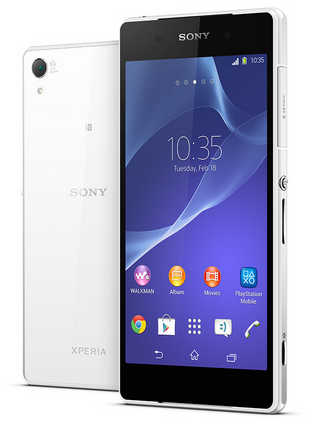
How to Use NFC on Sony Xperia Z2 Share Contacts Music Files Photo or Video and Web Address

NFC feature is a must-have for any smartphones these days.  Near-field communication or NFC works similarly like bluetooth. By touching your NFC-enabled phones against each other, you can then share contacts, music and photos. Well, heres how you can easily share contacts on Sony Xperia Z2 uisng NFC feature.

1. On your Home Lcd, tap the Apps icon Settings.

2. Then go to More.

3. Mark the NFC checkbox.

To share a contact with another device using NFC

1. Make sure that both devices have the NFC function turned on, and that both Lcds are active.

2. To view contacts, go to your Home Lcd, tap Apps icon, then tap Person icon.

3. Tap the contact that you want to share.

4. Hold your device and the receiving device back to back so that the NFC detection areas of each device touch each other. When the devices connect, a thumbnail of the contact appears.

5. Tap the thumbnail to start the transfer.

6. When the transfer is done, the contact information is displayed on the Lcd of the receiving device and is also saved on the receiving device.

To share a music file with another device using NFC

1. Make sure that both your device and the receiving device have the NFC function turned on, and that both Lcds are active.

2. To open the "WALKMAN™" application, tap Apps icon, then find and tap Walkman icon.

3. Select a music category and browse to the track you want to share.

4. Tap the track to play it. You can then tap Pause icon to pause the track. The transfer works whether the track is playing or paused.

5. Hold your device and the receiving device back to back so that the NFC detection areas of each device touch each other. When the devices connect, a thumbnail of the track appears.

6. Tap the thumbnail to start the transfer.

7. When the transfer is done, the music file plays immediately on the receiving device. At the same time, the file is saved on the receiving device.

To share a photo or video with another device using NFC

1. Make sure that both devices have the NFC function turned on, and that both Lcds are active.

2. To view photos and videos in your device, go to your Home Lcd, tap Apps icon, then find and tap Album.

3. Tap the photo or video that you want to share.

4. Hold your device and the receiving device back to back so that the NFC detection areas of each device touch each other. When the devices connect, a thumbnail of the track appears.

5. Tap the thumbnail to start the transfer.

6. When the transfer is done, the photo or video is displayed on the Lcd of the receiving device. At the same time, the item is saved on the receiving device.

To share a web address with another device using NFC

1. Make sure that both devices have the NFC function turned on, and that both Lcds are active.

2. From your Home Lcd, tap Apps icon.

3. To open the web browser, find and tap Chrome browser icon.

4. Load the web page that you want to share.

5. Hold your device and the receiving device back to back so that the NFC detection areas of each device touch each other. When the devices connect, a thumbnail of the track appears.

6. Tap the thumbnail to start the transfer.

7. When the transfer is done, the web page is displayed on the Lcd of the receiving device.

Friday, October 10, 2014

Tip and tricks On Youtube


There is no doubtthat Youtubeis themost popularvideo streamingsiteson the internet.Whenyouwant towatch thelatest videosor findwide range oftutorialsin a variety ofways,the first placeyou cangoisYoutube.Howeverit turns outYoutubealso savevarioustipand tricksin using it.Tipsand tricks thatwill be shownthisworks onallpopularbrowsersaremaking it easier forthe userwhenbrowsingorsearching forspecific content.Here are someof them:


Playon acertainduration


If you want towatchvideoson acertainduration,you caninstantlyshifttimebartothe desiredduration.Butthere are other waysthat can be usedtoplay videosdirectlytothe desiredduration.For example, onthe linkhttp://www.youtube.com/watch?v=5gBxB-euXr0,youwill start thevideo from thesecondsto00: 00.If you want todirectlyrun it, at14minutes16seconds to, could adda commandto the commandabovelink#t=14m16saspace,so that theresult willbe like http://www.youtube.com/watch?v=5gBxB-euXr0#t=14m16s


Dont want tobotherto press thereplayevery timethe videois doneplaying?Turn on auto replayfunctiononly, so thatthe video will beplayedagainfrom the beginning ofeach completedplayedautomatically.Howtochangeaddressyoutubewith the commandinfinitelooperthebeginningaddress of thelink.For examplethe addresshttp://www.youtube.com/watch?v=AlPoQWRVM4k, it can beconverted intohttp://www.infinitelooper.com/?v=AlPoQWRVM4k,you willautomaticallybe directed toa third party siteandthe video will beplayedbylooping.Even with theexistence of atimebar,you candetermineyourselfwhich partstorepeatedcontinuouslywithout having tostartfrom scratch.

Autoplay videoin high definition


Usually,by default theYoutubevideowill playimmediatelywith a selection oflow resolutionso that userscanrun it withmore smoothly, especiallyfor those whohavelimitedbandwidth.But for thosewho have access, youcan instantlytoneddetermines theresolution ofthe video tohigh-definitionoptions(ifsupported).For itis requiredan add-oncalledMagicActionsforYoutubeare available forGoogle Chrome browser, Opera, and Firefox.Once attached, turn on theAutooptionand choose theHDresolutiondesired.

Forslowconnections


Probably notmany knowthat Youtubehas a feature calledFeatherBeta.This featureis intended forusers whowant to run a videobut havea slow internet connection.This systembasicallyslashedsomebytesthat limitspeed ofvideo streaminginthe browser.To enable this feature,you cango tothe linkhttp://www.youtube.com/feather_betaand click onthe Join buttonthe"Feather" Beta.The name ofthe Betaitselfis indeedconfirmed thatthis featureis still in theexperimental stageso thatit could bethere are stilla few bugsin it.Youtubeitselfsaid thatthe possibility of someparticular videowill not workwiththisfeatureenabled.However,it doesnt hurtyouto try itfirst.

Openthe blockingarea


Some videosare only availabletocertaincountries/territorieswitha variety of reasons.The IP address usedwill determinewhichpositionsyouare andwillblockedcertain videosthat arereserved only forthepermittedareasonly.However,youcan stillaccessthe videowith minimalchangingURL addresstoaccess it.Change theURLfromhttp://www.youtube.com/watch?v=tohttp://www.youtube.com/v/<code><code>.For example,http://www.youtube.com/watch?v=3KMlU9yTP28becomeshttp://www.youtube.com/v/3KMlU9yTP28.

Thursday, October 9, 2014

How to Save Battery Life on Sony Xperia SP


Battery Life depends on how you use your device. For Sony Xperia SP device, if you want to save your battery to last longer hours, you may need to adjust your settings. Follow these suggestions:

• Turn on the power-saving option on the device. Then lessen the Lcd brightness and theLcd lock timeout. On the HomeLcd, tap on Menu icon. Select Settings Power management.


- Use the Stamina mode and Low battery mode features.
- To activate the STAMINA mode: While you are in the Power management, tap on Point icon next to STAMINA mode, then tap Activate.

• Turn down your device volume with the volume keys.

• Close any apps or features when you are done using it so they will not continuously running in the background.

• Turn off the network connection if you are out of range so that your device will stop searching for a network signal.

• You should use the latest version of the software update. Software updates improves some features and fixes some bugs on the previous software version.