Showing posts with label Save. Show all posts

Sunday, November 16, 2014

Self Installation of Auto Sound System can Save Serious Cash

If you are seriously hoping to save a significant chunk of change when it comes to your auto sound system, you should consider saving on installation. Under ordinary circumstances I urge people to be very, if not overly cautious when it comes to installing your own auto sound systems. The thing is, that some people really are talented when it comes to activities such as this. Beyond talent, some people have frightening skills with electronics and if you are one of those, then by all means consider the money you could save yourself (or the extra money youd have to invest in your system?).

We all know that money doesnt grow on trees and when youve been saving up for quite a while to get the sound system you really want its a serious joy killer to have to wait another month or two in order to save up enough money to cover the cost of the installation of your sound system. If you or someone you know and trust (trust being the operative word in this instance) can do the work, it makes no sense from a fiscal point of view to pay someone else to do it.

That being said, if there are any doubts about your skill or experience you might want to at the very least get a second opinion or price installations in your area to see if it might actually be worth saving a little more. Time is another important issue when it comes to the installation of an auto sound system. It doesnt matter how capable you are of making the installation if you simply lack the time to do it. In cases such as this it would have been just as wise to go ahead and pay someone to make the installation. It makes much more sense to me than having the system sitting in a box for months on end while you wait for the time to get it taken care of.

I am one of those people who firmly believes that time is money. Time lost from work is expensive. This is especially true when the times of 10 or more people are lost. It adds up quickly no matter if you have a small or a large company. Time is also (unfortunately) the one commodity in life that you can never recover. No matter how hard you try you cannot recapture time that has been lost. If you have children you know exactly what Im talking about (particularly if your children are either teens or grown and gone). You cannot recover lost time so make sure you arent wasting your time by trying to install an auto sound system that is beyond your abilities.

Dont fret though. Most of us find that at some point in our lives we are limited by either time or money if not both. If everything was quick and easy we wouldnt really have anything worth working for would we? Consider all your limitations when planning and purchasing your auto sound system and make sure that the system you select falls squarely within your ability to install, your time limit for installation, or your price range for affording to pay for the installation. Whether you decide to do your own installation or have a professional installation of your auto sound system the prize is the superior sound quality you will be able to enjoy.
Thursday, October 9, 2014

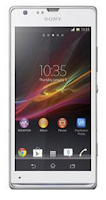
How to Save Battery Life on Sony Xperia SP


Battery Life depends on how you use your device. For Sony Xperia SP device, if you want to save your battery to last longer hours, you may need to adjust your settings. Follow these suggestions:

• Turn on the power-saving option on the device. Then lessen the Lcd brightness and theLcd lock timeout. On the HomeLcd, tap on Menu icon. Select Settings Power management.


- Use the Stamina mode and Low battery mode features.
- To activate the STAMINA mode: While you are in the Power management, tap on Point icon next to STAMINA mode, then tap Activate.

• Turn down your device volume with the volume keys.

• Close any apps or features when you are done using it so they will not continuously running in the background.

• Turn off the network connection if you are out of range so that your device will stop searching for a network signal.

• You should use the latest version of the software update. Software updates improves some features and fixes some bugs on the previous software version.

Wednesday, October 1, 2014

How to Save Battery Life on iPhone 5S

If you got yourself a new iPhone 5S, you’d never want to leave it sitting blankly for even an hour. You’d even want to use it till its battery gone dead. It’s common for Apple users to get fascinated and hooked with iDevices’ cool features. If you are that addicted, saving your battery life could perhaps give you another hour of gaming spree and even lengthen your devices’ life. Here are some few things though that you must know on how to save battery life on your iDevices.


1. Turn off vibrate feature when playing games. Avoid playing intensive video games as this will kill your battery quickly.

2. You might not know this, but by adjusting your devices’ volume to low or none at all, you are eventually saving a small amount of battery life. Go to Settings menu, select General and head on to Sounds to adjust your devices’ sound system.

3. Just like computers, keeping your iDevices’ Lcd at maximum brightness will consume more battery life. Adjust your Lcd settings to low by going to Settings and select Brightness and Wallpaper to change the default level of brightness.

4. For iPad and iPhone, switch to Airplane mode when you don’t need to use the internet. Airplane mode basically turns off both Wi-Fi and the regular wireless radio. However this will also prevent calls from coming in. If you’re just playing a regular game and doesn’t want any disturbances (like a phone call perhaps), might as well switch to Airplane mode to save battery life.

5. 3G connection uses up more battery life compared to Wi-Fi. So if possible, use Wi-Fi especially on hotspot instead of 3G. According to Apple, iPad gets 10 Hours of battery life under WiFi connection and 9 Hours using 3G connection. iPhone on the other hand gets 10 hours for Wi-Fi and only 6 hours for 3G.

6. Disable Bluetooth radio when not needed. Go to Settings, then General and Bluetooth to switch off.

7. Turn off Push Notifications. Every time you get notifications from Facebook , Twitter or any apps your using, you’re also consuming your battery life. If you can check those apps manually, you can turn off the notifications by heading to SettingsNotifications and switch to off to save a bit of battery life.

8. Set your Lcds to lock quickly when not in use. Go to General; select Auto-Lock to set your Lcd to lock quickly before you put it back on your pocket or bag.

9. Keep your devices out of the sun or any hot surfaces. Heat kills batteries quickly.