Showing posts with label for. Show all posts

Monday, November 24, 2014

Handcent SMS APP excellent alternative SMS application for Android

Android offers full access to SMS functionality from within your applications with the Handcent SMS APP.
Using the Handcent SMS APP , you can replace the native SMS application or create new applications that
send text messages, react to incoming texts, or use SMS as a data transport layer.


SMS message delivery is not timely, so SMS is not really suitable for anything that requires real-time
responsiveness. That said, the widespread adoption and resiliency of SMS networks make it a particularly
good tool for delivering content to non-Android users and reducing the dependency on third-party servers.


As a ubiquitous technology, SMS offers a mechanism you can use to send text messages to other mobile
phone users, irrespective of whether they have Android phones.
SMS is supported by almost every phone on the planet. Handcent SMS APP are an excellent alternative.

Handcent SMS APP is a powerful free sms/mms tools for your android phone.


DOWNLOAD HERE 
Handcent SMS APP new version 4.0.0 ( free )


The most popular messaging app on the "Google Play", Handcent SMS is a powerful, customizable, and free SMS/MMS app that fully unleashes the messaging potential of Android devices. More than just an unsurpassed alternative to the stock Android messaging app, Handcent SMS features optional, seamless online integration.


Handcent SMS APP features :
  • Handcent’s Contact Locator plugin helps you quickly locate your friends using GPS!
  • Full SMS and MMS support augmented with unmatched features powered by the Handcent network.
  • Support for more than 20 languages and growing as well as support for the various messaging protocols of different countries.
  • Group sending features capable of extending Android’s SMS limitations of 100 messages per hour up to 1,100 messages per hour.
  • Handcent MMS+ allows you to circumvent Android’s MMS limitations and send up to 10 files at 25 megabytes each for a total message size of 250 megabytes! This means sharing higher quality photos, videos, and music!
  • Auto-splitting feature for messages over 160 characters for users on CDMA networks such as Verizon Wireless.
  • Mimic the unique messaging layouts of other device manufacturers such as HTC’s Sense, Motorola’s Blur, or even the iPhone!
  • Customize every aspect of your Handcent SMS application with countless themes and skins available for free download from the Handcent Network. New themes are added daily!
  • Better MMS support and picture resizing that resolves Android compatibility issues with some carriers such as those in the UK.
  • Group Mms with iphone,useful for US networks.
  • Full support for vCards allows you to send, receive, import and export them with Handcent SMS.
  • Integrated Blacklist feature with the ability to filter incoming SMS and MMS messages by origin and help block SPAM.
  • Manage drafts and undelivered messages.
  • Send and receive fun emoji icons and smileys to other Android Handcent users as well as iPhone users. Once exclusive to the iPhone, this integrated feature of Handcent SMS may now be enjoyed by Android users. Additional emoji are available as free, downloadable plugins!
  • Schedule tasks to deliver SMS and MMS messages at a specific time or regular intervals such as daily, weekly or monthly.
  • Additional font packs to further customize your SMS messages are available as downloadable plugins.
  • Share beautiful Handcent eCards with family and friends to mark holidays, birthdays, etc. 

Sunday, November 23, 2014

Managing Your WiFi using WiFi Manager APP for Android

The Wifi Manager APP for Android represents the Android WiFi Connectivity Service. It can be used to configure Wi-Fi network connections, manage the current WiFi connection, scan for access points, and monitor changes in WiFi connectivity.  As with the Connectivity Manager, access the WiFi Manager using the getSystemService method, passing in the Context.WIFI_SERVICE constant.


To use the WiFi Manager, your application must have uses-permissions for Read/Write WiFi state. the WifiManager also provides low-level access to the Wi-Fi network configurations, giving you full control over each configuration setting and allowing you to completely replace the native Wi-Fi management application. Later in the section, you’ll be introduced to the API used to create, delete, and modify network configurations.

Find, connect, manage WiFi networks. Improve connection quality with a graphical channel radar. Discover open networks around you. An easy way to manage Wifi connections. Includes beautiful widgets.

Use WiFi Manager APP to Managing Your WiFi,
New features and improved WiFi Manager APP Version 2.1.8 :
  • Assign your own descriptions and icons to individual WiFi networks - never forget what that "XYZ1234" network is.
  • Better graphics, including a dark color theme.
  • Automatic switching between fixed and dynamic (DHCP) IP addresses (Android Settings in 2.x cant do this).
  • Switch among your favorite networks with a single tap by using the WiFi Network Switcher widget. It will even enable WiFi if needed.
Still there - support for tablets in landscape mode.

First screenshot and video for Windows 8 1 with Bing

Windows-8-1-with-bing-header
We took a few weeks in which weve talked a few times ofWindows 8.1 with Bing, a version that is designed for economical equipment and has no cost to manufacturers ofhardware.The ideal operating system for tablets because it can work with only1 GB of RAM and an internal storage is enough for 16 GB.
The only difference at first compared to the current version that is paid is that thisleads Bing as default search engine.Although they say that it can be changed without any problem.Currently manufacturers like Dell or HP changed the search engine they installed Windows on their computers instead of Google or get the other partner to have some agreement.
This will make if a manufacturer wants tosave paying the license to install Windows 8.1 Proopt for use with Windows 8.1 on their computers Bing.What is not so clear is that this savings for the manufacturer also see reflected in store for the consumer.
From June 3 held in Taiwan Computex 2014,expect to see low-cost devices from various manufacturersthat use this version of Windows.This can increase the market share of Windows 8.1 that it is not all good.
Currentlybetween Windows 8 and Windows 8.1 add up to a12.64% market share, percentage that Windows 8.1 is 6.35%.Windows 7 is best used with a 50.06% share and seems to continue to rise.The Modern UI interface not really like users who do not have computers with touch screen and they missed the classic menu.
Microsoft has already said that the classic menuback soonwith an update that will release and expected for the month of August.Meanwhile rumors suggest thatthePreview of Windows 9will be available in February or March next year.

Shopping Tips for Smartphone Tablets on Black Friday 2012

You may just want a new iPhone, iPad, or maybe the best-selling Samsung galaxy S3 and other android device, or Windows Phone 8 smartphones entering this year, but the price is somehow relative higher than you can afford. Don’t worry, as the holiday shopping season is almost around the corner. Due to a series of stores kick off some of its hottest "Black Friday" deals on that day, so it is the best time of the year for shopping. There are substantial discounts offered.

Until today, the Black Friday deals ads of Amazon, Best Buy and Wal-Mart have leaked online in the days. And For the first time, Disney Stores, Sears and Kohls are among the stores offering at least some of the same Black Friday deals to customers a few days before Black Friday.

It seems difficult to catch up all of that information to get a best Black Friday Deals. A smart and measured approach to buying will preserve your holiday budget.
Heres how to do Black Friday the smart way:1. Research the deals and compare the prices 

Thanksgiving is just two weeks away, now you should start mapping out a strategy now. Make sure which smartphone or tablets you want and how much you want to spend. Check out decide.com to help you, which uses data to help you whether you should buy the product or not.

Lists of websites already have posted stores Black Friday deals. Check out sites like bradsdeals.com and the blackfriday.com that list hours and circulars for the holiday weekend.2. Use social media: like Facebook and TwitterFollow your favorite stores Twitter feeds and click the "Like" button on their Facebook pages. Stores will use their social networks to update shoppers on deals and store hours, says Carey Rossi, editor-in-chief of ConsumerSearch.com. Wal-Mart Stores Inc., for example, unveiled its Black Friday deals on Walmart.com, its Facebook wall and mobile app on Thursday. Those who sign up to get email, download the app or "Like" its Facebook page will be among the first to get early access to special Black Friday store items to buy online and via the mobile app.

Meanwhile, Kohls Facebook fans will receive exclusive savings during the holidays through Friday flash sales.

3. Spread out the shopping: 

Consumers will Start Holiday Shopping Earlier this year.

Wal-Mart will start its first Black Friday sale at 8 p.m. Thanksgiving Day, two hours earlier than last year. It then will have two more rounds of sales events, including a 10 p.m. sale on electronics and another sale at 5 a.m.

Wal-Mart is also guaranteeing shoppers that it will have three of the most popular items if they are in line inside the store between 10 p.m. and 11 p.m. on Thanksgiving Day. The three include Apple’s iPad 2: an Apple iPad 2 for with Wi-Fi plus a $75 Wal-Mart gift card for $399.

Macys, Kohls Co. and Best Buy Co. will open again at midnight following Thanksgiving. Sears Holdings Corp. said its Sears stores will open at 8 p.m. on Thanksgiving and will stay open overnight until 10 p.m. Friday. For the first time, Sears will allow members of its free loyalty club called Shop Your Way to buy some of the early-bird specials online as early as Sunday, Nov. 18.4. Use your smartphone and tablets For the first time, Macys, through a partnership with eBay, has a Black Friday app that will let customers browse and shop for specials specific to the local store. Starting Nov. 15, customers will be able to view Black Friday specials on their mobile devices and create personal shopping lists they can edit and share.
Starting Nov. 19, Wal-Mart will again have a Black Friday local store map available to view and print on Walmart.com and its local Wal-Mart Facebook pages. But this year, customers can view an interactive local store map on the Wal-Mart mobile app and click on items to see the price, product description and location in the store.

Here is Walmart Black Friday full ad leaked: Galaxy S3, unreleased Samsung Stratosphere 2 and other Android handsets spotted:Android Smartphones$100 Walmart Gift Card for every Android smartphone purchase (with new two-year contract, therefore it’s available with the purchase of any of the following on-contract handsets) – offer valid from from November 23 through December 1
$129 Samsung Galaxy S3 – with new two-year contract
TBD Motorola Droid RAZR M – with new Verizon two-year contract
$49.88 HTC One X – with AT&T new two-year contract
$79.88 Samsung Galaxy S2 – with new T-Mobile two-year contract
$49.88 Samsung Stratosphere 2 – with new Verizon two-year contract
$0.97 Samsung Captivate Glide – with AT&T new two-year contract
$89.88 Motorola Photon Q – with new T-Mobile two-year contract
$39.88 LG Optimus Logic prepaid smartphone – $50 in savings
$39.88 Kyocera Hydro prepaid smartphone – $60 in savings
$45 unlimited Straight Talk plan
$55 unlimited Boost Mobile plan
$80 Verizon prepaid refill card: 2GB traffic, unlimited talk and text
$19.98 Virgin Mobile prepaid refill card: 1GB of trafficAndroid Tablets$129 8GB Nabi 2 – $70 in savings
$99 8GB Barnes & Noble Nook Color Tablet – $60 in savings
$49 7-inch Ematic TabletAccessories$12 Plantronics Bluetooth Headset
$39 Plantronics Voyager Pro Bluetooth Headset – $40 in savings
$14.96 cell phone charger
$39.88 Virgin Mobile 3G/4G Hotspot – $80 in savings
$19.88 iFrogz Boost speaker – $20 in savings
$14.99 Sony Earbuds with Mic – $14 in savings
$179.95 Beats by Dr. Dre Solo HD Headphones – $20 in savings
$10-30 off all Beats headphones

Will you be purchasing a new smartphone or cellphone for the upcoming holiday season? Do you have any other good shopping tips for Smartphone and tablets? Leave your comments.

Friday, November 21, 2014

AMD introduced new 8 core FX series processors decrease rates for high end chips


AMD

Although Intel was introducing a high-end unlocked 8-core "CPU" determined by its Haswell architecture this week, AMD is thinking about to briefing the particular press on new unlocked octa-core CPUs of a unique price.

But AMD aint doing head-to-head performance side by side comparisons between its latest FX-series processors and Intel’s top-shelf parts. AMD is competitive on prices, indentation the best CPUs versus Intel’s second- and third-tier processors: Like in series of Core i5 and Core i3.

AMD

AMD introduced three brand new "8 core" processors today, Like 4GHz FX-8370 and 3. 3GHz FX-8370E (200 Bucks for each), along with the 3. 2GHz FX 8320E (147 Bucks for each). AMD also reduced the rates on its high-end processors, including AMDs best-ever FX-9590, that is actually going for 230 Bucks.

Intel, meanwhile, expects to fetch 1000 Bucks for the fastest series of Haswell-E CPUs, intell introduced Core i7-5960X last week.

AMD is concentrating on two primary applications for the new CPU, Creation of the Content and gaming above 1080p resolution. But it’s also focusing on systems of budget-priced, explaining the postulatory “enthusiast game playing PC” powered by the CPU of FX-9590, a video card having a Radeon R9 290X massive graphic processor ever, and 16GB involving DDR3/2133 memory that might sell for 1499 bucks.

AMD

AMD says a person whos good in system building he  could market a “performance gaming PC” also with the FX-8370 CPU, a video card having a Radeon R9 285 GPU, and 16GB DDR3/1866 memory for only 1099 Bucks!!

In the community of content design, AMD says it is 8-core FX-8370 and also FX-9590 could appreciably outperform Intel’s quad-core Central i5-4690K in tasks such as converting images by RAW format in order to JPEG. But of course the time is everything near professional photographers and Video-graphers, Obviously a lot of them might be hoping to spend more money up front to obtain additional processing power for systems built all around Intel’s higher-end Core i7 CPUs.

 AMDs entire CPU technology is actually getting a bit long within the tooth. All of the companys octa-core processors like the three announced today is totally based in the Pile-driver micro-architecture this launched in the middle of 2k12. The Steamroller architectural mastery AMD announced earlier this season is limited to CPUs with at most four cores.

AMD

In which Intel builds the fourth-generation Core processors with 22nm manufacturing processor, AMD still uses 32 nm process to develop it parts for FX-series. And the 5th-generation Cores processors, As Intel is about to launch are meant using a process of 14nm.

AMD also lags poorly on power consumption. Intel’s most highly effective consumer CPUs, the particular Haswell-E series, get the cool thermal design power "TDP" ratings around 140 watts. AMD’s greatest CPU, The FX-9590, incorporates a TDP of 220 watts. AMD’s new FX-8370 do a lil better, with any TDP of 125 wts; and its FX-8370E along with FX-8320E both get TDPs of Ninety-five watts.
AMD

Thursday, November 20, 2014

Top 5 high end smartphones worth buying for the 2012 holiday season

Smartphone war starts ahead of holiday season. Starts with iPhone 5, then Windows phone 8 follow up, such as Nokia Lumia 920, Windows Phone 8X by HTC, Samsung ATIV S. The Nexus 4, announced yesterday and rumored for about 50 years before, goes on sale directly from Google starting November 13. The Smartphone war is heating up as smartphones play a bigger role this holiday season.

Thinking about buying a new smartphone for yourself or as a gift this holiday season? People are spending a whole lot of time with their smartphones these days, so heres a list of the top smartphone choices to make sure its time well spent.1. Nokia Lumia 920
The Nokia Lumia 920 is the new flagship smartphone of the Windows Phone 8, which features a 4.5 inch PureMotion HD+ display, LTE, 8.7MP PureView camera, 1.2MP front camera, 1.5GHz dual-core processor, wireless charging, 2000 mAh battery,1GB of RAM, and 32GB of internal memory , Nokia Maps, Nokia Drive, Nokia City Lens. Nokia claims its new handsets are “the world’s most innovative smartphones”. I know many of you have already added it to your list this holiday season, so do I. Now Nokia Lumia 920 is available in Canada (at Rogers). More units will be shipped in the near future.2. Windows Phone 8X by HTC
The Windows Phone 8X by HTC is a premium Windows Phone 8 device that packs a punch with a beautiful 4.3-inch HD-resolution super LCD 2 Lcd, a powerful 1.5GHz dual-core processor, impressive 8MP camera with HTCs custom Image Chip technology and a very-wide-angle 2.1MP front-facing shooter on the other side. Customers will enjoy the feel of the pure unibody design in California Blue, access to Windows Phone’s Live Tiles, immersive studio-quality sound with Beats Audio™ and incredible camera capabilities of the Windows Phone 8X by HTC.3. LG Nexus 4 runs on Android 4.2
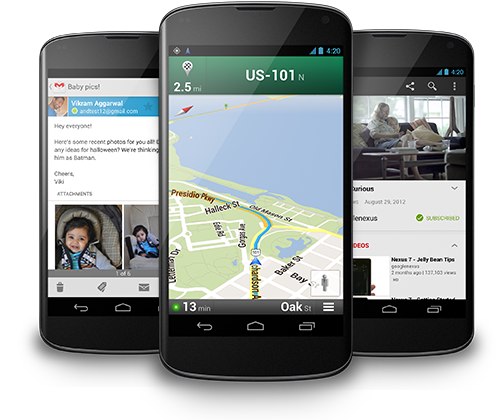
The Nexus 4 has a 4.7-inch, 1,280 x 768 pixel resolution display, a quad-core Snapdragon S4 Pro processor from Qualcomm, 2 gigabytes of RAM, an 8-megapixel rear camera, a 1.3-megapixel front camera and either 8 or 16 gigabytes of storage. It also has NFC, a micro USB port and micro HDMI output. For bells and whistles, Google is touting built-in wireless charging (though you’ll need to supply your own compatible charging mat) and a Photo Sphere feature that can shoot 360-degree panorama photos but it doesn’t support 4G LTE. LG Nexus 4 runs on Android 4.2, which comes with a lot of new features, like updated Google Now, and multiple user accounts. It also adds a Swype-like trace keyboard, built right into stock Android.

    See also: Android 4.2s four best new features4. Samsung Galaxy Note 2
If you are interested in larger Lcd, then galaxy note 2 may be your best choice. The Galaxy Note II will be featuring HSPA+ and 4G LTE connectivity, a 1.6GHz quad-core processor, a 5.5-inch HD Super AMOLED display with a resolution of 1280 x 720, Android 4.1 Jelly Bean, an 8 megapixel auto focus rear-facing camera with a 1.9 megapixel front-facing camera, S Pen stylus, Bluetooth 4.0, a 3100mAh battery, 2GB of RAM and microSD card support up to 64GBs. The Galaxy Note II will also be coming in 16GB, 32GB and 64GB models along with a white or black color to choose from.5. iPhone 5
“The iPhone has always been an innovator since its 2007 release and its true potential really came out with the 4 and 4S models, but the iPhone 5 is the king of them all,” said junior Caleb Hughes.

The iPhone has a 4-inch LED-backlit IPS TFT display featuring 326ppi pixel density with 640 x 1136 pixels and also has Gorilla Glass, features a A6 chipset with 1.2GHz dual-core CPU and of course the PowerVR SGX543MP2 GPU, 1GB RAM, has an 8-megapixel on the rear and a 1.2MP on the front, as well as 1080P HD video, geo-tagging, HDR, panorama, LED flash, autofocus and face detection. The iPhone 5 comes in 16, 32 and 64GB versions, which is running iOS 6. Price of the iPhone 5 is relative high than other smartphones.

With shoppers getting ready to kick off the holiday season the day after Thanksgiving — or sooner — retailers are ready for consumers to pull out their smartphones or tablets, NRFs Shay said. So Which one is your next mobile device as the holiday gift ?

Wednesday, November 19, 2014

Auto Sound Systems for the Budget Minded

Despite popular belief, it is quite possible to get a great quality auto sound system even if you are operating on a limited budget. I completely understand your skeptical glances and the comments and grumbles that being on a budget means different things to different people. I can tell you without a doubt that you can get a really nice sound system for your car, truck, or SUV even if your budget is less then $300.

There are several things you can do as a savvy consumer that will help drive the price of the wonderful sound you seek to a bare minimum if you use a few tips, tricks, and techniques, in order to do so. First of all, the competition in this market is fairly fierce. As a result of that you will find that prices tend to be pretty competitive from one shop to another and that your best bargains are usually going to be found online. Search around online and find the absolute best bargain you can find on the auto sound system of your dreams.


Once youve found the lowest online price, get on the phone with local retailers. Many local stores understand the need to compete on a much larger scale. As a result they are often willing to match prices and even through in perks such as installation or freebie upgrades in order to sweeten the deal. Once youve gotten a few upgrades from local markets, continue calling around and let them compete with one another for your business. Take into account the value of the freebies and upgrades to you. If you really have no use for the bobble head hula girl then skip that offer and go for the one that offers an upgrade on speakers or an extended warranty thrown in for free. Make sure that the upgrades are really worth something to you. Also consider the value of the upgrade verses the price and go with the best bargain.

Another truth when it comes to purchasing an auto sound system is that you do not have to buy the best known or biggest name brand in order to get a great sound and excellent quality. Spend your money where it matters most to you. Sometimes you are paying for nothing more than the name attached to a product. Im a huge fan of Bose. I love the sound and have yet to find a product that can offer the quality of sound at a lower price. That does not mean I would not jump at the chance to buy an untried brand if the sound in the display equaled the quality of sound I can get with a Bose sound system. In fact, I have held onto an SUV for 10 years because Im not ready to give up my sound system and my truck still runs. A Bose system is not a budget investment, but you can find bargains that are similar and sound wonderful. In other words, dont become a name brand snob if you dont have to.

In reality, there are many discount dealers you can find both online and off that will be more than happy to hook you up with a great set of sound for your car, truck, or SUV at a really great price. It simply takes a little leg and phone work on occasion to find them.

Tuesday, November 18, 2014

LG announces Volt for Boost Mobile and Virgin Mobile in United States


LG has announced a new smartphone, dubbed as the Volt to the Statesides two Sprint Corporation subsidiary prepaid carriers, Boost Mobile and Virgin Mobile. The new handset from the South Korean consumer electronics manufacturer is just a renamed model, which is already available to the public, named as LG L90, that was announced back in February, alongside the L Series III set of Android powered KitKat smartphones.

The phone will be available in Black color option for the Boost Mobile customers and in White for Virgin Mobile purchasers. Accordingly, the newly introduced LG Volt will be the carriers first ever smartphone to debut their Sprints Spark facility on board, which is the next generation enhanced 4G LTE support. You can now grab the phone from both the prepaid carriers at 179 United States Dollars.


Volt from LG will come out of the box  a Quad-Core Qualcomm Snapdragon 400 processor, speeding at 1.2GHz, 4.7-inches IPS qHD screen of 960 x 540 resolution display, in protection of Corning Gorilla Glass 2, eight gigabytes of internal mass memory (expendable via microSD card slot), one gigabyte of Random Access Memory, eight megapixels primary camera on the back with LED flash and BSI sensor, a 1.3 megapixels front facer, Bluetooth 4.0, Near Field Communication and 4G LTE as connectivity highlights, a 3,000mAh powered battery and running Androids version 4.4 KitKat with companys own customized User Interface on top. There is also other LGs proprietary features like the Knock Code, Quick Remote, Voice Mate, QuickMemo, QSlide and more.

Source: boostmobile, Virgin mobile

Thursday, November 13, 2014

Sony chose the Sharp LCD panels for its TVs

Apparently, negotiations between Sony and Sharp on the establishment of a joint venture to produce LCD panels coming to an end. According to the newspaper The Nikkei, which is considered the mouthpiece of the business community in the country of the Rising Sun, by the end of this month, the two companies will conclude an agreement under which Sony will invest about U.S. $ 1.1 billion in new venture for the production of LCD Sharp in Sakai (Sakai) to the west Japan. According to preliminary data, its share in this joint venture will be 34 percent. Although the two companies reached a preliminary agreement at the beginning of the year, a formal agreement on this issue will be signed until next week.

According to recent reports, Sony may invest in the joint venture of 50-60 billion yen at once, but then the total investment could reach $ 100 billion yen or more.

Its no secret that the Sharp is one of the largest manufacturers of LCD panels in the world, and its products are of high quality manufacturing and superior performance. Apparently, Sony has high hopes for this Sharp, and not on the Samsung, although at one time the Japanese and South Koreans, too, have formed a joint venture to produce LCD panels.

Tuesday, November 11, 2014

Guide Email tips and tricks for Note II power users

Believe it or not good ol Gmail has now been around since April 2004, yet way back on 26 March 1976 The Queen of England sent her first e-mail – and 37 years on it is hard to imagine how any of us could cope without it.


Here are our expert tips and tricks on managing your email on your Note II, ensuring that you know how to get the most out of Samsungs native email app and how to use the best features and apps to have fun creating and composing your work and personal mail. And how to avoid it becoming the bane of your life!
Most people using Android phones and tablets have their Gmail accounts synced up to their phones native Gmail app.

Why? You have to do it in order to access the Google Play Store. Your Android device probably prompted you to enter your log-in information when you switched it on for the first time and its a piece of cake to use.
With most phones, wed say this is the best Gmail client about, but the Samsung GALAXY Note II is anything but most phones.

Samsung has packed their 5.5-inch quad-core powerhouse with the most fully featured email client out there.
Dont believe us? Here are just a few of the stock Samsung email clients highlights before we dive into the getting set up.

Unified Inboxes

One limitation of the Gmail app for Android thats irked users since the OS first landed has been its inability to present us with a unified inbox.

Whats a unified inbox? Imagine you have multiple Gmail or Google app email accounts. Gmail will only allow you to view them in isolation, one at a time.

And what if you use a mixture of email service providers? Gmail wont support anything other than Gmail and Google Apps. 

Thankfully, as you might have guessed, this is where the stock Samsung GALAXY Note II mail app steps up to the plate, working across the likes of Gmail, MSN Live mail, Mail for Exchange and Yahoo Mail, giving you the option to view them one by one, or all together.

Air View

Thats far from everything though. Thanks to the incredible S Pen, the Note IIs mail client offers perks that go way beyond any other smartphone.

Using the S Pen, simply floating the tip above an email question opens up a pop up window, previewing the email contents and saving you opening up an email.

This is particularly useful if you have multiple emails from the same person, all starting with the same opening text and sharing the same subject. By the end of the standard preview, you know very little about the message contents, until, of course, you Air View.

Double tap to top

As useful as unified inboxes are, they can mean you have three times the amount of mail in one list. While you could easily switch back to a single account view, a great way of getting to your most recent emails is double tap to top.

By simple double tapping the top of your Samsung GALAXY Note II, the phone will scroll to the top of your list in moments flat.

If this feature isnt working by default, you can easily switch it on by hopping into the Motion menu in your Note IIs settings and activating it.

Customisability

A quick zip into to the settings of your stock Samsung Email app will highlight the many ways you can customise it to the nines to make the experience as bespoke for you as possible.

Naturally, elements like text size can be easily changed – taking full advantage of the generous display and proving invaluable to anyone hard of sight.

Dig a little deeper and you can change how many lines of preview text accompany each email, choose whether your title line shows either the sender or subject and tweak handy settings like ring volume.

Split screen

Another unquestionable highlight that can be toggled in the settings menu is split screen mode. On by default, the mode allows for a split screen view when you flip your Note II into landscape orientation.

On the left side are all your messages, while on the right, a messages body copy.

In addition to being incredibly useful, the view really maximises what you get from the 5.5-inch HD Super AMOLED display.

Setting up your email

What good is all this technology if the set-up screen confuses you and you never open the app again?
Luckily, despite mail clients nasty reputations for being laborious to set up in general, Samsung makes its app a doddle.

Open up the application and youre immediately prompted to enter an email address and password. Provided youre using a popular mail service such as those mentioned earlier (Gmail, MSN Live mail, Mail for Exchange or Yahoo Mail to name a few), the Note II will set everything up automatically.

Its worth noting, if setting up your Note IIs Samsung Mail app up with the same Gmail account your native Gmail app is synced to, it would be worth disabling email in the native Gmail application so you avoid two notifications for every email. Which, after a very short while, becomes very annoying indeed!

How? Open up your Note IIs settings, scroll down to the Accounts section and tap Google. Here you can uncheck the checkbox next to Gmail to stop you emails doubling up.

Setting up the Note II Mail app with Google Apps

If youre using Google Apps for work, then set up is a little bit different.

Youll need to enter your email address and password, then tap manual settings when you start up the client for the first time and youll be prompted to select your mail type. Choose IMAP. The next screen will require you enter a couple of fields.

Under username, enter your email address. Your password should be your corresponding password, and the IMAP server address will be "imap.gmail.com".

Change the Security type to "SSL (Accept all certificates)" and press done.

Finally, youll be prompted to enter your outgoing mail settings. Make sure your username is the same email address as that entered prior and the password corresponds. Under the field SMTP server, input "smtp.gmail.com", and once again, change the Security type to "SSL (Accept all certificates)" and press done.

Setting up the Note II Mail app with other providers

If you have a service provider not mentioned, they will be able to provide you with the details to manually set-up your mail account with your Note II.

The process will be no more complicated that that outlined above, and as weve made pretty clear, the perks of using the stock app are abundant.

So whether its the smart Motion features, Air View, split screen viewing or the Note IIs ability to display a unified inbox, hopefully this guide has helped you better understand your Note IIs mail client and give you everything you need to.

Saturday, November 8, 2014

10 best iPad and iPhone apps for planning your holiday

Booking a holiday used to be easy, kind of expensive and occasionally disappointing: youd spend hours poring over brochures before popping to the travel agent and booking a fortnight in what inevitably turned out to be a building site halfway up a volcano.


 Now we have access to the kind of information holidaymakers of yesteryear could only dream of. We can find out what many of brochures dont to tell us, as well as the best time to hit the buffet; how to shave hundreds, or even thousands, of pounds off the price of hotels, car hire and flights; and how to find the best attractions, exhibitions and eateries in places weve never been to before.

A few well-chosen vacation-planning apps can make sure your holiday memories are happy rather than horrible. Some apps will help you find the cheapest deals or advise you on the best days to fly. Others can help you find the perfect place with the help of hundreds of other holidaymakers honest opinions and top tips - some apps will even make sure you dont forget to pack your pants.

Whether youre a creature of habit or a fearless explorer - and whether your holidays a budget break or an expensive extravaganza - the right apps can make sure you dont pay more than you need to while helping you find the best places to stay, the most interesting places to visit and the best times to go. They can even help you learn the lingo and find your way around when you get there.

So grab your bucket and spade, and discover how you too can plan an app-y holiday with these top holiday planning apps for iOS.

1. Kayak

Price: Free
Works with: iPhone, iPod touch, iPad
Kayak is a kind of Swiss Army Knife for travelling: it enables you to search for the best and/or cheapest flights, hotel rooms and car hire deals, and it has a handy Price Alerts feature to let you know if prices go up or down. It knows about add-on fees such as airport charges and hotel taxes, and you can even book everything from within the app.

That last bit is how Kayak makes its money: it gets paid for referring people. Its a very good app - especially if youre planning to visit the US - but it isnt perfect: for example, if you search for flights from Glasgow to Faro, it suggests British Airways via Heathrow without letting you know that, if you go a few days later, EasyJet has direct flights for one-fifth of the cost.

Kayak does know about those flights, but it doesnt tell you about them because they arent on the dates you specified. Its definitely worth trying a few different date ranges to see what difference it makes.

Kayak comes in two versions: the standard app (free) and Kayak Pro (69p). Theres hardly any difference between the two versions bar airport terminal maps - which Pro users get and free users dont. Everything else is the same, so whichever version you go for, youre getting a really handy travel app.

2. TripAdvisor

Price: Free
Works with: iPhone, iPod touch, iPad
The main draw with TripAdvisor isnt the booking engine or the hotel prices (although TripAdvisor is a good deal finder); its the user reviews. Weve used the TripAdvisor website and app for years, and despite the odd bit of obvious fakery - this run-down hotel is the best hotel in the world and I am not the owner in disguise, honestly, Im not! - its saved us from booking the kind of holiday you remember for all the wrong reasons.

It tells you what the brochures dont: that this hotel is on top of a cliff; this ones next to a building site; this ones full of stag nights, and so on. TripAdvisor doesnt just warn you - if 400 people reckon your first choice is a god-forsaken hell-hole, the sidebar shows you a whole host of alternative options with equally honest reviews.

The trick is to ignore the very worst and very best reviews and concentrate on the it was great, but… ones - they tend to be the most reliable and trustworthy opinions. TripAdvisor is as good at finding local restaurants as it is at finding things for you to do when you travel abroad. It also provides access to TripAdvisors great forums, where you can get advice on everything from gayfriendly hotels to the best places to take easily bored children and adults alike.

3. Skyscanner

Price: Free
Works with: iPhone, iPod touch, iPad
When it comes to booking flights, Skyscanner is the app to beat. When you launch the free app it shows a collection of last-minute deals from your nearest airport, and if youre looking for something specific, it brings the results back as a handy graph showing just how expensive flights for each day is.

If your dates are flexible, that feature alone will save you a fortune, because prices vary from day to day. For example, if wed wanted to fly to Paris from Glasgow on the fifth of the month, the cheapest flights were £94 per person, but if we were willing to wait a week, the same flights were just £34.

You can filter the results by the number of stops, direct flights and so on, and when you select certain times, Skyscanner looks for the best prices from multiple booking agents including Expedia and Lastminute.com.

4. TripIt

Price: Free
Works with: iPhone, iPod touch, iPad
So what if youre organising a trip with more than one provider or service? With Tripit, you email all your confirmations to them using the app and the service works out whats going on and adds it to your TripIt itinerary. It can easily recognise confirmation emails from some 3,000 different booking services for flights, concerts, restaurants, hotels and other key travel services - it also converts those emails into diary entries with related information such as contact information and prices paid.

If, for whatever reason, the emails dont work - and we found a few instances where emails simply vanished into the ether without turning up in our TripIt app - you can enter the details manually. The app also includes a find whats nearby feature to help locate cash machines and other essentials during your trip.
The core TripIt app is free, or 69p if you dont like ads - theres also a $49 annual subscription.

5. Airbnb

Price: Free
Works with: iPhone, iPod touch
You dont need to spend a fortune on accommodation when you travel. With the excellent - and free - Airbnb app, you can find details of incredibly cheap places to stay all over the world, and theres a handy I need somewhere tonight! option that finds places near you when you havent booked ahead.

Airbnb knows about accommodation in some 33,000 cities across 192 countries, and its great for finding deals. The available options cover everything from shared spare rooms to full apartment rentals.

Its important to note that Airbnb is a marketplace, not a travel agent. Think of it as eBay for accommodation, a service that brings buyers and sellers together, but one that doesnt do background checks and might attract the odd conmerchant. Make sure you read airbnb.co.uk/safety - Airbnbs Trust & Safety Centre - before you commit to anything.

6. British Airways

Price: Free
Works with: iPhone, iPod touch
BA was quick to embrace the power of iOS, and its BA app does everything youd expect with the minimum of fuss. There are downloadable maps for the worlds bigger airport terminals, a very fast search engine that doesnt try to lead you to the most expensive options, online check-ins, Wi-Fi passwords for the airport lounge if youre a Silver or Gold Executive Club member and up-to-date information about arrivals and departures.

The app even doubles as a boarding card - it enables you to download and display a machine-readable boarding pass thatll satisfy security and get you on board the aircraft. If youre in the Executive Club, you can also use the app to store and display all your future bookings - membership is free and, of course, you can join from inside the app. Its typically BA: smart, stylish and efficient without fuss or faffing around.

7. Travel List

Price: £1.49 / $1.99
Works with: iPhone, iPod touch
If youve ever got to a destination only to discover that you forgot to pack your pants, youll see the value of Travel List immediately. This useful app lets you put together a list of everything you need and ensures you pack it.

As you pack, you tick items off the list, and if you attempt to leave with items still unticked, the app will sound an alarm to alert you. Travel List comes pre-populated with most items - shirts, t-shirts, dresses, makeup, personal care, gadgets, chargers and so on - and you can, of course, add your own items if the developer hasnt included them already.

In a nice touch, you can copy any existing packing lists to new destinations or trips, because there are some things (underwear, passports, sun cream) that might appear on every list you make. It also syncs over iCloud, letting you update your lists from any iOS device or Mac - perfect if youre making a list between devices.

8. Jets - Flight & Seat Advisor

Price: £1.99 / $2.99
Works with: iPhone, iPod touch
These days, many airlines allow you to choose your own seat - charging handsomely for the privilege, of course - but how do you know what youre paying for? Enter Jets, an app that can make the difference between travelling in comfort and being unable to stand up when your plane lands. Simply enter the name of your airline, pick the plane youll be flying in, and Jets shows you exactly what each seat does.

Youll see which ones recline and which ones dont; which ones have the most legroom; which ones are next to the food preparation area or the toilets and which ones have funny little tray tables and nowhere to put your stuff.

The app knows most but not all airlines - so Ryanair, BMI Baby and EasyJet are there, but not Jet2 - but if you can find out what kind of plane youll be on, you can see the seating plan and make your booking based on the standard seating plans.

9. Google Maps

Price: Free
Works with: iPhone, iPod touch
Google Maps isnt just a great app to have on holiday (although you need to watch out for data roaming charges if youre using it to navigate while abroad) - its a great app to help you plan your holiday, too.

Googles driving directions are superb, and weve found its estimates of driving times to be very accurate - and that means the apps a great way to plan days out or road trips, exploring different options and zooming in to see what the terrain is like.

You can also use it to prevent disappointment by switching to satellite view and/or Street View to get a really good look at potential places to stay. That way, you can see if the location is really as unspoilt and idyllic as the brochure blurb suggests - or if its between an army firing range and a sewage treatment plant.

The combination of Google Maps and TripAdvisor can really help you avoid a nightmare holiday.

10. EasyJet Mobile

Price: Free
Works with: iPhone, iPod touch
One day, every airline will embrace Apples Passbook and make travelling that little bit less annoying, but for now, the British ones prefer to have their own proprietary apps, if they offer apps at all.

EasyJet is one of the airlines that has embraced apps, and its EasyJet Mobile app enables you to find and book flights; add options such as specific seats; sports equipment or extra baggage; see the status of your flight on the day and book additional items such as hotels. The app works well enough, but its not ideal for people who like to think long term - when we tried to book flights four months ahead, the app listed outbound flights, but no return ones.

Tuesday, November 4, 2014

Google Apps for Businesses

Google is one of the most trusted names in the world mobile industry today. Google’s software is immensely popular among small and large enterprises of the world. Promoting a smooth and efficient flow of work, the Google apps have generated attention among business owners, clients, and customers at cost effective rates.

Listed below are few reasons why startups and established businesses should deploy Google mobile apps:

Dont Miss: 15 Useful Google Tricks

1. Streamlining internal communication:

             Gmail is one of the most efficient ways of communication known to organization workforce and individuals. Since Gmail is browser based and one does not have to install any software for utilizing its benefits, workers can remain connected to their mails and access or share anything from there without the need of Wi-Fi or internet connectivity (this is known as Gmail Offline). Installing the Gmail app ensures integration of chat features which leads to quick delivery of messages in real time; the threaded conversation feature on the other hand helps users to simplify the process of message exchange. In reality, Google’s Gmail app helps businesses to cut down its internal telephony system costs.

2. Syncing events and meetings:

             The Google calendar application has made it possible for employees of a business house to eliminate the possibility of a missed meeting or slip up in the project completion date. The syncing of meeting dates or the day of any other official event to the Google calendar app means that an employee will receive notifications of important announcements and upcoming events directly in his/her Gmail inbox. An advanced feature of the calendar app allows employees to use color codes for distinguishing between different tasks and be notified if there is a change from the original schedule.

3. Improving the quality of business collaboration and project management:


              The Google Docs app allows employees of a business unit to edit documents and also share them with the rest of the workforce without having to email an attachment of the same document to each worker. This Google application is extremely beneficial for businesses of all sizes and types because it reduces the risk involved in misplacing important documents which otherwise have to be distributed within the organization. Moreover, Google Docs makes sure that latest versions of files are available to the workforce immediately after they are updated.

4. Sharing details and knowledge about the organization and promoting its services:


             The Google Sites app is a software that provides tools for the creation of a basic site that will help a business unit to share details of its products and services with an extended audience base and thus promote its brand. Businesses can create both public domain sites and private internet hubs for the company and its employees respectively using the tools available under the Google Sites application. This leads to the creation of a site which is comparable to the wiki system, since it helps the business to organize all its files; therefore, presentations, calendars, and all other important documents can now be stored in a central location.

The above were some of the most prominent Google applications which have contributed to the increased productivity of businesses worldwide. These apps have also made work for the business workforce easier by allowing them to concentrate upon business matters that require more attention in order to ensure mobility.

Wednesday, October 29, 2014

Spice Stellar Glide Mi 438 Android Phone with 4 inch OGS display Launched for Rs 5199

The Stellar Glide Mi-438 is the new Smartphone from Spice in the Stellar series. Spice has been introducing many Smart phones to trying to improve its reputation and compete with many other big Smart phone makers in the market today. Stellar Glide Mi-438 is a 4 inch device powered by a 1.3 GHz dual core processor and will be running on Android 4.2 Jelly Bean Operating System. It also comes with Dual SIM support like most of the Smart phones in the Stellar series.

The Stellar Glide Mi-438 comes with a 4 inch 800 x 480 pixels touch Lcd display that is based on OGS (One Glass Solutions) technology and will be running on Android 4.2 operating System. The device is powered by an unknown dual core processor clocking at 1.3 GHz and coupled with a 512 MB of RAM. There is a 1350 mAh battery to power the device and the company claims that it will give a standby of 170 hours and 4.5 hours of talk time.


Coming to the camera the device has 2 MP rear facing camera with LED flash and a 1.3 MP camera on the front. The connectivity of the device includes 3G, Wi-Fi 802.11 b/g/n, Bluetooth v3.0 with A2DP and GPS. The Stellar Glide Mi-438 has a on board memory of 4 GB that can be further extended up to 32 GB via micro SD card slot.

Specifications of Stellar Glide Mi-438


4 inch touch Lcd OGS display
800 x 480 pixels resolutions
Android 4.2 Jelly Bean OS
1.3 GHz dual core processor
Dual SIM
2 MP rear camera with LED flash
1.3 MP front facing camera
512 MB RAM
4 GB internal memory, expandable up to 32 GB via micro SD card
Connectivity: 3G, WiFi 802.11 b/g/n, Bluetooth 3.0 with A2DP, GPS
3.5 mm audio jack, FM Radio
1350 mAh battery

The device is a Dual SIM variant and will also coming with 2 GB of free storage on Spice Cloud backup, on the launch T M Ramakrishnan, the CEO of Spice Retail Ltd claimed that, Stellar Glide Mi-438 is a power driven device with its 1.3 GHz dual core processor and the expandable memory of 32 GB. He also said that they believe in catering to Consumers needs and aspirations and said that the Stellar Glide with GMS certifications is another device for exceeding the expatiations of the consumers.
The Stellar Glide Mi-438 is priced at Rs. 5199 (MOP) and will be coming in White color variant, available across India in all major retailers. The company is also offering a free flip cover with the device that is worth Rs. 500 and also Lcd guard with the Smart phone.

Monday, October 27, 2014

Keep the 3D Blu ray Disc Jack the Giant Slayer on your Hard Drive for watching

In order to be a giant slayer, one must first have giants. Luckily for Jack, played by Nicholas Hoult in Jack the Giant Slayer, he’ll get a chance to earn his moniker by battling Fee, Fye, Foe and/or Fumm. We’ve got a great look at the four named giants from the famous “Jack and the Beanstalk” quatrain in addition to some giants with unfamiliar names (Fallon?) in these newly released posters from the Bryan Singer film.


Jack the Giant Slayer is now in 3D Blu-ray version, it will bring us an imaginative fantasy realm straight into our room without going to the cinema. Need to back up your favourite Blu-rays like "Jack the Giant Slayer" on your hard drive, then you can easily get the 3D movies playback on any device?

At first, to backup Jack the Giant Slayer 3D Blu-ray Disc to Hard Drive, you need to a third-party software to backup Blu-ray discs without sacrificing the picture quality seems to the best choice for you. And for those who rent lots of movie of discs, it is also a great way to copy the discs for future watching.

Here Pavtube Blu-ray Ripperis a professional program in making digital copy of Blu-ray. It can rip the latest 3D/2D Blu-ray and DVD and convert to various video formats for some popular smartphones and tablets as well as editing software. Simple interface and CUDA acceleration will bring you an easy but effective conversion. The following guide will show you detailed steps. (Another two programs can also do the job like ByteCopy and Video Converter Ultimate.)

Now you can have the trial version to try all the functions firstly, and then download the retail version to install it. (Mac users go to get Blu-ray Ripper for Mac).

How to convert/copy Jack the Giant Slayer 3D Blu-ray Disc to Hard Drive for enjoying


1. Import Blu-ray source.

Click "Load file" button to import the inserted Jack the Giant Slayer 3D Blu-ray disc. After few second, it will be imported successfully and you can preview the whole movie in the preview window.

Then, you need to select the subtitle and audio track for output. As blu-ray movie contains multiple audio and subtitle tracks, you could choose your favorite one for output.
Note: Force subtitle can be checked for output so as to help you to read the unknown language and fully enjoy the blu-ray.

2. Choose output format.

Now go to "Format" menu to select output format there. A variety of options are listed such as many portable devices, video editing software, various HD video formats, etc. Choose the one you desired.

Note: You can find the "Directly Copy" option there. It will support to backup 100% intact the blu-ray main movie with all multiple tracks preserved. And you will get one M2TS file for output. If you want to backup blu-ray, it is a good choice for you.

By the way, if you want, you can adjust output video and audio parameters according to your own needs. You can change bitrate, frame rate, channels, etc. Click "Settings" button to set output profiles.

3. Convert Jack the Giant Slayer 3D Blu-ray disc.

Now its time to start conversion. Click big Convert button on the interface and then you will get a conversion dialogue box to show the exact progress, like time left, estimated size, state and so on.

Note: If you are bothered about waiting for conversion to finish, you can choose to check "shut down computer after conversion". Then just let it alone, you are free to go out to do anything you like.

Now you have copied Jack the Giant Slayer 3D Blu-ray onto your hard drive. With the best 3D Blu-ray Backup and copy tool, you can take your favorite blu-ray anywhere and enjoy them whenever you want to. Just try it now!

Meanwhile, there are many Money Saving Software Bundles, such as Blu-ray Ripper + DVD Creator for rip blu-ray and burn to DVD. You will get 35% off for bundled software. Go to find the one you need.

From: http://pc-mac-compatibility-issues.blogspot.com/2014/02/backup-3d-blu-ray-to-hard-drive.html 

Sunday, October 5, 2014

Tip for Optimum Performance SSD


The MediasaveSSD(Solid State Drive) usingdifferent componentswithconventionalHDDS,thereforecare as well as their useis different from theHDD.In theorythe SSDismuch fasterthan anyHDD,but that does notmeanyou cantreat itsame withHDD.


Thereforethere aresome tipsthatyoumustknow anddo toits performanceremains stableand durable.Wrongtreatingor using, couldresult inashortlifetimeandthe performance isnot optimal.Even some of thetip thatis commonly usedonHDDdoes not applyonSSD.Fromthewronghandle it,here are a fewthings that can bedone in order forONE SSDremains in optimum condition.

1. Do notDefrag

In contrast tothe HDD,the SSDdoesnt needdeframentation.Eventhat processwill shortenthe age ofSSD.On theHDD,defragwilltidy up theorder offiles andoptimizeits placementondiskHDD.Suchdiscsare not usingSSDHDDanddefragprocesswill only makethe process of writingbecame more frequent, whichinsteadwill degradethe performance ofthe SSDlater.Therefore,by default, Windows 7has beendisabledefragmentationifyouuseSSD.

2. Don’t AnyCloning

In addition todefrag,another thingdone on SSDtaboosthatdocloning.Usuallyif youwant todocloningmoved theoperating system ordatathoroughlyfrom the mediasaveone to theother.The process ofcloningusingthemalwayswillhave an impact onthe reducedageof SSD.Butdontworry,youcan stillperformcloning,as long as the properuse ofthem.If you want tobackupthem, use aSSDthatis devoted tosuchO&OSSDMigrationKitsorParagonMigrateOStoSSD.

3. Use the latest operating system

Windows XP and Vistaare presentbefore the era ofthe emergence ofSSDso thattheoperating systemwill not runoptimallyduenot to includespecial featuresforSSD.The operating system thatis recommended forSSDi.e.Windows 7,Mac OS X10.6.6+ andLinux Kernel2.6.33+and above.Although someoperating systemsbelowittherecould becrackedin order tomaximize the performance ofSSD,but it wont bethe greatest extentwhile using anewer operatingsystem.

4. Activate theTRIM


The specificreasonforthe number 4isdue toneweroperating systemshave supportedTRIM.TRIMisfeatured onthe SSDthat willcommunicatewith the operating systemon whichthe blockwhichwill reportthat does notuseand deletethe remainingdatainternallyso thatoptimumcan work withSSDperdisk space.To viewactivationinformationusingapplicationscanTRIMCrystalDiskInfo(Windows).Another waycould bewith the commandthrough theCommand Promptby typingfsutilbehaviorquerydisabledeletenotify.Ifthe resultsshow"DisableDeleteNotify=0″meansTRIMalready active.

5.Reservingenoughspace

Check outthe specs ofSSDyou use.Some manufacturerssuggestleavingabout 10to 20%empty space.Thisspacewill helplevelingalgorithmfordata distributioninNANDmoduleis balanced.The lessemptyspacecapacity,SSDperformancewill make itharder andwill shortenthe age oflife.

6.Don’t be toooftenis used towrite data

SSDis moreappropriatelyusedto install theoperating system andnot as a to store data, let alone thebig size.To maintain a lifetime ofSSDexpansionmighttry towrite datathrough it.Moreover,the abilityto writeonthe SSDslowerthanreading skills.So use theSSDas a mediumtostorethe operating system,and youhave tostickincludeconventionalHDDfor data storage, especiallylarge.

7.Do not storelargedatafiles or


Similar with number7,the most appropriateSSDused to runoperating systemsonly.The more oftenit will beused to writethe shorteruseful lifeage, let aloneforlargedata.Usethe savemediaasconventionalHDDbothtoimplementlarge datastorageor datawhich are oftenedited.

8.It outlinesthe capacity ofRAM

Until now, the price ofSSDSis still farmore expensivethanRAMmemory.Thereforeits goodyouprovidegreaterRAMcapacity.LargecapacityRAMwill makethe process of writingon aSSDwill bemuch lessbecause of theswitchonthe RAM.Soin conclusionthe largercapacitymemoryRAM,SSDwill be moredurable.Dont forget touse agood-qualityRAMthat is able tosupport theperformance ofSSDSto runoptimally.

9.Turn offordeletenon-essentialOSfeatures


The operating systemhas severalfeatures that willmakethe process of writingdatawhenthe memorywas unable todo so.Usuallythis feature willhelp speed upthe performance ofmediaon theHDD,butdoes not apply tothe SSD.According topetunjukanthe numbers 7,thusitwill be aconstraintonSSD.For thatyou canturn offfeatures such asthe pagingfile andmove it to theHDD.Similarlywithhibernation,superfetch,ReadyBoost,ReadyDrive,prefetch, SearchIndexing, andtemporaryfilesand cachethat can beturned offor movedlocation.