Showing posts with label 2. Show all posts

Thursday, November 13, 2014

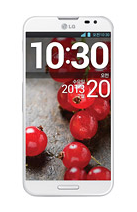
G Pro 2 coming on February 13 as LG schedules an event


The South Korean manufacturers upcoming announcement and their next generation phablet, the G Pro 2 has been in talks for a while, and as today the company sends out invitations for the Press media for their event, pre-Mobile World Congress. The Koreans have scheduled a conference in their homeland, West Tower Auditorium, Seoul on 13th of February, 2014, from timings between 10:30 AM to 1:00 PM, local.

Last month, weve got the firms confirmations on their upcoming phablet flagship handset and the successor model to their current G Pro, which was hinted coming this month, and we guessed it to be a MWC shows topper from LG. Following the news, we also saw the device in a couple of allegedly leaked photographs. But as today, the company have its Press invites live, we really doubt to witness the LG made G Pro 2 come to the show, as they dont have any other major phones in their pipeline.

So, the basic reports and rumors suggest us a Qualcomm Snapdragon 800 processor with a six-inches Full High Definition screen of 1080p resolution display, 3 gigabytes of Random Access Memory and packing Androids version 4.4 KitKat out of its box.

Source: ZDNet Korea

Alcatel announces One Touch Idol 2 and Idol 2 Mini


The French and Chinese based smartphone manufacturer, Alcatel has introduced and updated their current Idol line-up with two new Android smartphone from the new Idol Series 2, named Alcatel One Touch Idol 2 (from the above picture) and One Touch Idol 2 Mini.

We have a limited list of specifications to share with you, at the moment. The new companys new middle-end smartphone, the One Touch Idol 2 has got a Quad-Core processor clocked at 1.2GHz, five-inches IPS screen of 720 pixels resolution display, eight megapixels primary camera with LED flash light, 1.3 megapixels secondary camera on the front, Near Field Communication (NFC), 3G and 4G LTE Cat4 connectivity supports on board and running Androids version 4.3 Jelly Bean out of the box, upgradeable to 4.4 KitKat in future. The 3G version of the handset costs about 274 USD, while the One Touch Idol 2 S with 4G networks goes up to $342.

Next up is the Alcatel One Touch Idol 2 Mini, sporting the same 1.2GHz Quad-Core processor, 4.5-inches qHD screen, eight megapixels primary shooter accompanied with a two megapixels front facer, again the same NFC, 3G and 4G LTE connections, with Androids version 4.3 Jelly Bean that can be upgradeable to 4.4 KitKat. Both the new phones are about 7.3 millimeters thick on scale, where the 3G model of Idol 2 Mini is priced at 232 United States Dollars and 4G LTE version with the S branding will cost you $287.

Source: Engadget

Thursday, November 6, 2014

LG outs next generation G Pro 2 phablet


The South Korean electronics manufacturer had an official news the past month, where the company let the Press know about what it had in their pipeline, and we expected it to launch at their MWC trade show event. Following the news, we witnessed couple of leaked live photographs that surfaced on the internet. Finally the last week we saw LG sending out Press invitations to the media for their event, that has already took off the ground, and the Koreans have their 2014 edition of front runner phablet, the G Pro 2, officially unveiled in Seoul.


As seen earlier, the newly announced handset will fall in line with the firms 2013 flagships design, with its power button and volume up and down rockers sitting just under phones primary camera on the back side, crafted out of similar plastic chassis, as seen from its successor. The new device will also pack the companys own KockOn feature, plus other LG attributes like Mini View, Dual Browser, Content Lock and Guest Mode.

Other internal specifications from the G Pro 2 includes a Quad-Core Qualcomm Snapdragon 800 processor clocked at 2.26GHz, 5.9-inches Full High Definition IPS screen of 1920 x 1080 resolution display, 32 gigabytes of internal mass storage (expandable via microSD card slot), three gigabytes of DDR3 Random Access Memory (RAM), 13 megapixels main camera on the back with Optical Image Stabilization (OIS) technology and Natural LED flash light, capable of capturing video footages at slow motion and 4K Ultra High Definition, marked at 3840 x 2160 resolution and in 1080 pixels at 120 frames-per-second, 2.1 megapixels front facing camera, Bluetooth 4.0, Near Field Communication (NFC) and 4G LTE-Advanced connectivity support, 3,200mAh powered non-removable battery and Androids version 4.4 KitKat with LGs Emotional UX and its characteristics on board.

The LG G Pro 2 will arrive in White, Silver and Titan color options, measured at 157.9 x 81.9 x 8.3 millimeters in dimensions and 172 grams on weight. Unfortunately, we still dont have any words on the units availability or pricing information, just yet. But, LG will be bringing the phablet along to its Mobile World Congress shows floor.

Source: LG

Tuesday, November 4, 2014

China Mobile and Samsung goes official with Galaxy Beam 2


The South Korean electronics manufacturers Chinese department lists a new middle ranged phone to their official web domain, the successor and second generation model to their previously announced Galaxy Beam, this time the South Koreans renames their unit as the new Galaxy Beam 2.

Like its last generation handset, the new Galaxy Beam too packs in that dedicated "professional-grade" digital mini projector on its top, which is capable of screening WVGA resolution images to any flat surface, in a complete stylish metallic design body.

Other internal specification includes a Quad-Core 1.2GHz powered processor, 4.66-inches WVGA screen panel of 480 x 800 resolution display, microSD card slot for further mass memory expansion, one gigabyte of Random Access Memory (RAM), five megapixels main camera on the back with LED flash light, a VGA front facing snapper, Bluetooth 4.0 and 3G connection support on Chinas TD-SCDMA network, a 2,600mAh powered battery and running Androids version 4.2 Jelly Bean out of the box. The newly announced Samsung made Galaxy Beam 2 is measured at 134.5 x 70 x 11.64 millimeters in dimensions and weighs 165 grams on mass.

As the branding on the phone suggests, it has already arrived on the countrys China Mobile 3G, but we doubt its global availability, anytime soon.

Source: Samsung

Monday, November 3, 2014

Samsung officially sanctions Galaxy Star 2 Plus and Ace NXT way back in India


Samsung has announced couple of new Galaxy branded smartphones in India for the countrys affordable market. The new devices out from the big South Korean multinational manufacturer is named as Samsung Galaxy Star 2 Plus SM-G350E (as seen from the above picture). "The Samsung GALAXY Star 2 Plus is packed with all the core features that define the smartphone. From hardware to software, inside and out, it’s a phone that delivers an optimized experience for doing everything you love" mentioned Samsung.

The comes the Galaxy Ace NXT, with model name as SM-313H (as seen from the below picture). Boasting, "GALAXY Ace NXT: Differentiated offering 1. Slimmer Design 2. 3G enabled 3. Low-light photography"The new phone from Samsung will come featuring Android version 4.4.2 KitKat out of the packaging and with decent middle ranged internal specifications.

Both the new smartphones have already made it to the countryside official Samsung online retailing site eStore, where the newly unveiled Samsung Galaxy Star 2 Plus handset is priced at 7335 Indian Rupees, that around 122 United Sates Dollars, available in both Black and White shades and also the Galaxy Ace NXT, will cost you the same bucks, coming only in the Black tint. Unfortunately, the devices are listed as out of stock on the webpage, at the moment.

The brand new pair from the phone maker will come with identical internals, but the Galaxy Star 2 Plus will have a 4.3-inches screen size and the Galaxy Ace NXT will sport a slightly smaller four-inches display, twain with WVGA TFT display panel of 480 x 800 resolution pixels. Star 2 Plus embraces an unknown 1.2GHz processor, where else the Ace NXT will attribute Spreadtrum Dolphin Single-Core A7 chipset, speeding at 1.2GHz. The couple will have a four gigabytes of internal mass storage (expandable via microSD card slot) and 512 megabytes of Random Access Memory, each with a three megapixels primary shooter on the back with LED flash light. For connectivity, the phone has support to Bluetooth 4.0, 3G HSPA+, GPRS, EDGE, WiFi, GPS/AGPS and the phone is released as Duos versions, meaning dual-SIM standby over GSM + GSM networks. Lastly, theres also a 1,800mAh powered battery on board.


Source: Samsung 1, 2

Saturday, October 18, 2014

Ripping Despicable Me 2 Blu ray DVD movies to Galaxy TabPro 10 1 support video format

This article shows you the easiest way to convert Despicable Me 2 Blu-ray and DVD Movies to Samsung Galaxy TabPro 10.1 supported video formats then you can watch Blu-ray/DVD on Galaxy TabPro 10.1 anytime and anywhere. 

Despicable Me 2

Universal’s sequel to Despicable Me – which has been even more successful than its predecessor – features two of America’s best-known comedians, Steve Carell (Gru) and Kirsten Wiig (Lucy).


So what attracted Wiig to working in animated films? She recently told the Guardian: “It’s really fun, because it’s very freeing and you can do a million different takes. And you don’t have to worry about hair and makeup.” She has also said that the pleasure of providing over-the-top voices for film characters reminds her of the sketches she used to perform for the TV show Saturday Night Live.

How about Carell – what’s the draw for him, apart from the fun factor? Presumably being a father of two helps him identify with the part of new-dad Gru – and not only do his own children get to see his film, but one of them even got the chance to be in it – his nine-year-old son did one of the minion’s voices. Now that’s a perk of being a famous voice-over actor.

My kids like to watch animated films very much, to prepared a special gift for them, I need to transfer their favorite movie "Despicable Me 2" for playing on Galaxy TabPro 10.1 Tablet. Do you know any tool can help?

Want to transfer "Despicable Me 2" BD/DVD movies to Galaxy TabPro 10.1 for playback? This professional Blu-ray/DVD to Galaxy Converter (only $39.2) is just designed to help you convert Blu-rays/DVDs to Galaxy TabPro 10.1 MP4 for playback. With its clean interface, fast converting speed and good video quality, converting BD/DVD to Galaxy TabPro 10.1 will be simply finished within a few clicks.

Download a trial version here. The Mac version is Blu-ray Ripper for Mac

FYI: If you want to keep all the audio tracks (language) and soft subtitles, heres another choice for you: Blu-ray/DVD Converter Pro.

Ripping "Despicable Me 2" Blu-ray/DVD movies to Galaxy TabPro 10.1 support video format

Step 1. Run this Top Blu-ray Ripper, as the BD DVD to Galaxy Converter.

Click "Load Disc" to load your "Despicable Me 2" Blu-ray/DVD movies into it.


Pavtube Blu-ray Ripper will detect and list the main title (the full length of this movie) and check it by default. So just keep it untouched and let’s move on to Step 2.

Step 2. Select Galaxy TabPro 10.1 compatible format.

To play movies and videos on Galaxy TabPro 10.1, you need to set a compatible format for the tablet. You can click on the pull down menu of “Format” to choose “Samsung -> Samsung Galaxy Tab 10.1(*.mp4)” for conversion.


Tips: Customize video specs. (Optional)

Click "Settings" to free choose output video size, bitrate, frame rate and other specs. Remember the file size and video quality is based more on bitrate than resolution which means bitrate higher results in big file size, and lower visible quality loss.

Step 3. Start the BD/DVD conversion.

When everything is OK, just press the "Convert" button to start the "Despicable Me 2" Blu-ray/DVD to Galaxy TabPro 10.1 MP4 conversion. It will not take much time. Just wait for the conversion process to get done.

Note: Keep in mind that some of the settings can be tweaked to improve the video quality but its a balance between quality and size. Using the settings we suggested, a 120-minute Blu-ray encoded to about a 1.3GB MP4 file.

After the conversion, you can click "Open output folder" to quick locate the converted video.

(Learn more: How to transfer videos from PC to Galaxy Tab with Kies?) 

Friday, October 17, 2014

How to Use SmartShare on LG G Pro 2

The SmartShare application uses DLNA (Digital Living Network Alliance) technology to share digital content through a wireless network. Both Phones must be DLNA certified to support this feature.


 - Tap Sharing requests to select an action to perform when receiving sharing requests.
 - Tap Receive files if you would like to allow the other devices to upload media files to my phone.
4. Tap Shared contents and select what type of file you want to share.
NOTE: Make sure that the Receive files option in the Settings menu is checked.
5. SmartShare is now activated and ready to share contents.

To control your renderer devices

Let your renderer device (e.g. TV) play multimedia contents from your remote content library (e.g. PC)

NOTE: Make sure that the DLNA functionality of your devices is properly configured (e.g. TV and PC)

1. From the Home Lcd, tap the Apps Key > SmartShare icon.
2. Tap the Player button and select the device from the renderer device list.
3. Tap the Library button and select the device from the remote content library.
4. You can browse the content library.
5. Tap the Menu Key > Play.

To share contents from your phone to your renderer device (e.g. TV) 

NOTE: Make sure that your renderer device is properly configured.

1. While viewing pictures and videos in the Gallery application, tap at the top of the Lcd.
2. Select the device from the renderer device list to play the files.

NOTE: Follow the similar steps to use the Music, Videos or Polaris Office to share contents.

NOTICE: Check that your device is connected with your home network using Wi-Fi connection to use this application. Some DLNA enabled devices (e.g. TV) support only the DMP feature of DLNA and will
not appear in the renderer device list. Your device might not be able to play some contents.

To download contents from the remote content library

1. From the Home Lcd, tap the Apps Key > SmartShare .
2. Tap the Library button and select the device from the remote content library.
3. You can browse the content library.
4. Tap and hold a content thumbnail and then touch Download.

NOTICE: A few types of contents are not supported.

To upload contents from the remote content library

1. From the Home Lcd, tap the Apps Key > SmartShare .
2. Tap the Library button and select My phone.
3. You can browse the content library.
4. Tap and hold a content thumbnail and then touch Upload.
5 Select a device from the remote content library to be uploaded.

NOTICE: Some DLNA enabled devices do not support the DMS upload functionality and will not upload files. A few types of contents are not supported.

Thursday, October 9, 2014

Motorola ELECTRIFY 2 XT881 U S Cellular

Motorola
At an amazing 8.4 mm, the Motorola ELECTRIFY 2 is incredibly thin, yet unbelievably strong. It’s made with DuPont KEVLAR fiber, which gives an other-worldly sturdiness to the outer shell. This smartphone has a splash-guard too, a high-tech, invisible nanocoating that shields against the unexpected splash – not only on the outside, but on the electrical circuit board inside the housing as well.

Show off your creations on this dazzling, 4.3-inch ColorBoost display, which offers a wider range of color – more vibrant, more vivid than the iPhone 4S. And with 35 percent more pixels, Motorola ELECTRIFY 2 also features a higher resolution than its competition,* so you can see more detail. The screen is not only scratch resistant, but also features a protective splash-guard shield, perfect for life’s little “oops” moments.
* Compared with Samsung Galaxy SII, Samsung Aviator

Our free, pre-loaded SMARTACTIONS app intelligently automates everyday tasks and suggests ways to personalize your phone. There’s a Battery Extender rule that recognizes when it’s time to preserve battery power. Pick it, and your Motorola ELECTRIFY 2 dims its display, turns off the GPS and disables background data – helping save hours of battery life and add time between charges. It’s always looking for ways to improve your phone’s operating performance. But remember – you’re always in control.

You have a vision. High-quality camera? Check. HD video? Check. Brilliant display. Check. Motorola ELECTRIFY 2 has everything your imagination needs. The webcam is perfect for video chats, while the hi-speed 8 MP camera features a touchscreen focus. It takes great shots – in low light, too. And you can even take stills while recording video in 1080p HD. Image stabilization technology makes it smooth – just like a pro’s
(Source: Motorola)


Tech Specs - Motorola ELECTRIFY 2 – XT881
General and Software
Codes / Prices Original price:$499,99 – 2-yr contract: $179,99
Countries USA – U.S. Cellular
Other names or variations Motorola Electrify MB853 (U.S. Cellular)
Motorola Photon 4G MB855 (Sprint – USA)
Motorola Electrify 2 XT881 (U.S. Cellular)
Form Factor Candybar
Operating System Android 4.0.4 Ice Cream Sandwich
Device Emulator Image Motorola ICS R1 SDK add-on
Physical Keyboard No – Virtual QWERTY keyboard
Announced 01 August 2012
Status Available August 2012
Browser & Internet Android WebKit
Adobe Flash Support Adobe Flash Player (downloadable)
Java MIDP
Display
Size, diagonal 4.3 inches – 109.22 mm
Display Resolution qHD (quarter High Definition) 540 x 960 pixels
Generalized Pixel Density 256 ppi – High (240 dpi)

TFT, LCD – Capacitive – Touchscreen – 16M colors – Scratch-resistant display, splash guard protection – ColorBoost
Connectivity
WAN / Network 2G GSM 850 / 900 / 1800 / 1900 MHz
CDMA 800 / 1900 MHz
WAN / Network 3G UMTS / WCDMA: 900 / 2100 MHz
WAN / Data EDGE Class 12 / GPRS Class 12 – HSDPA 14.4 Mbps (Category 10) / HSUPA 5.76 Mbps – EV-DO Release A,
WAN / Netwok 4G No
Wireless LAN Wi-Fi 802.11 b/g/n – DLNA – Wi-Fi hotspot
Bluetooth Bluetooth Class 2, v4.0 LE + EDR + A2DP
Bluetooth Profiles A2DP, AVRCP, BPP, GAP, GAVDP, GOEP, HFP, HID, HSP, OPP, PAN, SPP
USB microUSB v2.0 (High Speed 480 Mbps max) – Mass storage – Charging connector
Audio jack 3,5 mm Yes
Infrared port No
GPS / Location Based Services eCompass, aGPS with Google Maps, Google Latitude, Google Maps Street View
Camera
Camera Resolution (max) 8 megapixels – 3264 x 2448 pixels
Camera secundary VGA – 0.3 megapixels (640 x 480), Focus: fixed
Camera Focus Autofocus
Camera Flash Flash LED
Camera Zoom (max) Digital zoom 8x
Additional Camera Features Anti-banding, Color effects, Scenes, White balance, Geotagging
Media
Media Formats Android core media formats, MPEG-4 encoder, VC-1 decoder, WMA 10 decoder
Audio Player AAC, AAC+, MIDI , MP3, RA, WAV, WMA
Video Player MPEG4, H.263, H.264, WMV
Video Recording 1080p HD – 1920 x 1080 pixels – 30 fps
Video Playback 1080p HD – 1920 x 1080 pixels – 30 fps

Android Media Player
Speakerphone Yes
Loudspeaker Mono
Radio FM FM stereo with RDS
Voice Recording Voice dialing - Voice commands - Voice recording – Voice Actions
Processor and memory
Processor / SoC Chipset TI OMAP4430 – 45 nm - ARMv7 - CPU: 1-1.2 GHz Dual-Core ARM Cortex-A9 – GPU: PowerVR SGX540 @ 304 Ghz- Dual-channel LPDDR2 memory controller – Q1 2011
Processor Clock Speed 1.2 GHz
RAM 1GB
ROM 8GB
Memory Card Type microSDHC
Memory Card Size Supported Up to 48GB
Sensors
Accelerometer Yes
Digital Compass Yes
Proximity Sensor Yes
Ambient Light Sensor Yes
Notifications Vibration, MP3, Polyphonic, Notification Light Tricolor
Power
Battery Type Standard Li-Ion 1780 mAh
Talk time CDMA: up to 11 hours – WCDMA: up to 10 hours – GSM: up to 22 hours
Stand-by time CDMA: up to 11 days – WCDMA: up to 12 days – GSM: up to 9.5 days
Divers
Messaging MMS, SMS, email (Corporate Sync, Google Mail, POP3/IMAP, Push Email)
Games Yes, downloadable
Color Black
Phone Book Yes
Organizer Yes
Agenda Yes
Calendar Yes
Task Yes
Notes Yes
Predictive text Yes
Watch Yes
Alarm Yes
Diary Yes
Calculator Yes
Document Viewer Yes
Flight mode Yes
Weight 130 grams (4.59 oz)
Dimensions 128.5 x 65.8 x 8.4 mm (5.06 x 2.59 x 0.33 in)

BUSINESS READY:
Security features such as remote wipe, PIN lock and data encryption, plus a full suite of document and calendar functions make MOTOROLA ELECTRIFY 2 the logical choice among Business Ready Android smartphones.

Hands-free Speakerphone
Caller ID: Ringer ID, Picture ID, On main display
Google voice recognition (Advanced speech recognition)
Call Waiting – Mute – Noise Reduction (Advanced noise reduction technology)
Speed dial: Quickstore Private IDs, Quickstore Phone Book, Group IDs
Voice dialing

Full Google Mobile Services - Android platform – Social networking integration

SMARTACTIONS ENABLED
Our intelligent SMARTACTIONS app automates everyday tasks and suggests ways (e.g. Drive Smart, Battery Extender, Meetings etc.) for you to optimize your phones overall performance – saving hours of battery life. Learn more about the features and benefits of SMARTACTIONS.

Wallpapers: preloaded and downloadable

Computer synchronization, OTA synchronization

Hearing Aid Compatibility - M4/T3 Rating


Gallery:

MotorolaMotorolaMotorola

Motorola

Motorola

Motorola


Resources: 

Motorola USA - Motorola ELECTRIFY 2 XT881
Motorola Developer - Motorola ELECTRIFY 2 XT881
Download pdf - User Guide - English - Motorola ELECTRIFY 2 XT881
U.S. Cellular - Motorola ELECTRIFY 2

Monday, September 29, 2014

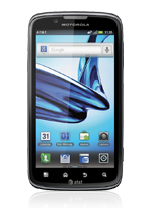
Motorola Atrix 2 Tips and Tricks


It is very important if you know some tips on your device like Motorola Atrix 2. It will help you learn more about your device to make your life much easier in using it. Improving your productivity and fulfilling what you expected on your Motorola Atrix 2.

Here are some How Tos for your Motorola Atrix 2. These How Tos may still not yet complete and I am still finding some time to work on the others:

How to Factory Reset Motorola Atrix 2

Resetting your Motorola Atrix 2 will restore the default settings of your device. It will also delete all your files on your phone, so it is recommended to have a backup of your important files on your computer. There are two ways on how to reset your Motorola Atrix 2. It can be done through the settings or through the hardware buttons.

Resetting Motorola Atrix 2 on Settings:


  • On your Home Lcd, press Menu.
  • Go to Settings, and select Privacy.
  • Tap on Factory data reset.
  • Then tap Reset phone.
  • And Erase everything to confirm the reset.

Resetting Motorola Atrix 2 on Hardware Buttons:

These steps is also helpful when your Motorola Atrix 2 is unresponsive or frozen and theres no way to access the settings. If it is frozen, remove the battery and reinsert it after a few minutes.
  • Turn off your phone.
  • Press and hold the Power button and the Volume Keys Up  & Down.
  • When your phone will show the boot mode menu, press the Volume Down to highlight Recovery.
  • Then press Volume Up to start Recovery.
  • Your phone will reboot, then shows the Android robot.
  • When the robot appears on your Lcd, press the Volume Up and Volume Down together.
  • The recovery menu should appear on the Lcd. 
  • Press the Volume keys to scroll to the factory reset option.
  • Press the Power button to activate.
  • Use the Volume keys to scroll to the Yes to confirmation, then press the Power button to confirm.
  • When the reset is complete, press the Power button to choose reboot from the recovery menu.


Battery Life depends on how you use your device. For Motorola Atrix 2 device, if you want to save your battery to last longer hours, you may need to adjust your settings. Follow these suggestions:

• To see whats using your battery more, go to Settings > Battery. If you want to set an automatic rules of saving more battery, tap on Apps, and select Smart Actions.

• Turn down your device volume with the volume keys.

• Close any apps or features when you are done using it so they will not continuously running in the background.

• Turn off the network connection if you are out of range so that your device will stop searching for a network signal.

• You should use the latest version of the software update. Software updates improves some features and fixes some bugs on the previous software version.

• Turn off the camera flash.

• Use the Airplane Mode if you are not using any connections.


How to Update Motorola Atrix 2

There will come a time that Motorola or your Internet Service Provider will give a software update for your Motorola Droid Atrix 2 device. The update is needed to fix some bugs and for you to experience the newly added features. It may come by batch, but if you have not receive the update for a while, then you may need to manually check for the updates.

1. On your devices Lcd, tap on Appsand go to Settings menu.

2. Then select About phone..

3. Then tap System updates.

Make sure that your phone is connected to the Internet to install the update successfully.


How to Uninstall and Reinstall Apps on Motorola Atrix 2

There will come a time that you no longer want to play the app that you have downloaded and want to remove it from your phone (Motorola Atrix 2). If this time will come, you just need to uninstall or disable the app so it will be removed on your phone.

Follow these steps on how to uninstall and reinstall your apps.

To uninstall an app:
  • From your Home Lcd, tap Menu.
  • Then select Manage Apps.
  • Tap on the app you want to Disable or Uninstall.

Disabling the app will remove it from your menu. If you want to Enable it again, just reopen the window and tap Enable.

In case the app locks up your phone as you turn it on, just restart your phone in Safe Mode. Turn off your phone and turn it back after a minute. If you see a Motorola logo during the power up, press and hold both volume keys until you see the home Lcd, with Safe Mode in the lower left. Then you may try removing the app.


To reinstall an app:

If the app is from Google play store, simply go to Apps Play Store > My apps. From there you can see your apps ready to download again.


How to Add or Remove Widgets on Motorola Atrix 2

Adding Widgets on your HomeLcd will help you improve your productivity in using your Motorola Atrix 2. If you dont know what widgets means, Widgets are small applications that you can directly use on your HomeLcd. These will serve as your shortcut icon so will no longer need to access the Menu.

To add a Widgets:
  • Go to Apps.
  • Tap and hold on the widget.
  • To change your wallpaper, tap and hold an empty spot on the home Lcd.
  • You can also add a folder to organize your shortcuts.

There are also app that include special widgets. If you want to download apps, just tap on Apps, then select Play Store.


To move or delete widgets:
  • Tap and hold on a widget you want to delete/move until it vibrates.
  • Then drag it to another spot/page, or simply Remove at the top of the Lcd.

Saturday, September 27, 2014

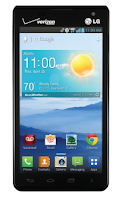
How to Uninstall Apps on LG Lucid 2

There will come a time that you no longer want to play the app that you have downloaded and want to remove it from your phone (LG Lucid 2). If this time will come, you just need to uninstall or disable the app so it will be removed on your phone. 

Uninstalling apps is also necessary if you have less than 10% of space available on your memory, since your phone cannot receive new messages.


Follow these steps on how to uninstall your apps.

  • Select Apps tab, then Settings.
  • Then choose Application Manager.
  • Once all applications appear, scroll to and select the application you want to uninstall.
  • Tap Uninstall.

Samsung Comment 2 R390C specification Review

Samsung Comment 2 R390C is a qwerty cell phone that made by Samsung mobiles for Cricket. For US Cellular, this phone known as Samsung Freeform 4. It work on CDMA network and was announced to the market on 2012, October and now its available for sale.


Some features that offered by this Samsung Comment 2 R390C including 2 MP camera, MP3 and MP4 player, browser, and others. You can read the full specification of this phone from the specification table below.

GENERAL INFO
2G networkCDMA 850 / 1700 / 1900 / 2100
3G network-
Announced2012, October
StatusAvailable. Released 2012, October

SIZE
Dimensions110 x 61 x 10.9 mm (4.33 x 2.40 x 0.43 in)
Weight95 g (3.35 oz)

DISPLAY
TypeTFT, 256K colors
Size320 x 240 pixels, 2.4 inches (~167 ppi pixel density)
Features-

SOUND
Alert typesVibration, MP3 ringtones
LoudspeakerYes
3.5 mm jackYes

MEMORY
Phone book-
Call records-
Internal-
Card slot-

DATA
GPRS-
EDGE-
3G-
WLAN-
BluetoothYes, v2.1 with A2DP
Infra Red Port-
USBYes, microUSB v2.0

CAMERA
Primary2 MP, 1600x1200 pixels
FeaturesGeo-tagging
VideoYes, 176x144
Secondary-

FEATURES
OS-
CPU-
MessagingSMS, MMS, Email, IM
BrowserWAP 2.0/xHTML, HTML
Radio-
GamesYes
ColorsBlack
GPS-
Java-
Other featuresSNS applications, MP3/eAAC+ player, MP4/H.264 player, Organizer, Voice memo/dial, Predictive text input

BATTERY
TypeStandard battery, Li-Ion 1000 mAh
Stand-byUp to 264 h
Talk timeUp to 4 h
Music Play-

Sunday, September 21, 2014

LG Intros World’s Slimmest Full HD Screen with 5 2″ Display 2 2mm Thickness

 While Samsung is still trying hard to commercialize the flexible Lcd displays, it now seems that LG will soon be coming up with the World’s Thinnest 1080p LCD Screen which comes at just 2.2mm thickness and has 5.2 inches of Screen Size. This thinnest Lcd from LG has been officially showcased and comes with the 2.3mm of Bezel which is a truly commendable job. Though the bezel on the device will be much greater than the 2.3mm, we can say that it will have one of the thinnest bezel ever. While the phones are getting thinner and thinner, it’s difficult to accommodate the larger battery in these devices.


LG Electronics calls this tech being used behind the Lcd as the Advanced One Glass Solution (OGS) which will be realized commercially very soon in its next generation of devices which will be available as soon this December 2013. The technology behind this involves the insertion of Dual flexible printed circuits between the LCD Panel and the touch film which results in 30% fewer lines on the Panel. Every pixel is RGB, and the Lcd can output 535 nits of brightness which is surprisingly higher than any 1080p Screen in the market which can currently produce.

We are also hearing the rumours that soon this display will be realized in the Optimus G2 smartphone which will be releasing very soon. By utilizing 1,080X1,920 pixels consisting of Red, Green, Blue (RGB) sub-pixels, the panel is a true Full HD display. Finally, measuring contrast in real-life surroundings with Ambient Contrast Ratio results in a reading of 3.74:1 based on 10,000 lux, which confirms the perfect performance even in Bright sunlight conditions.


Do let us know in the comments section about your thoughts on this World’s thinnest Display by LG Electronics.

Samsung GALAXY S WiFi 4 2


Samsung introduces GALAXY S WiFi 4.2, the best of Android experiences with powerful gaming on the go. This experience is further enhanced with the device’s superior SoundAlive audio system, offering great sound either through a front stereo speaker or headphones. A gyroscope sensor enables the user to control the device by moving it, providing truly engaging and intuitive gaming. 
(Source: Samsung Mobile Press)


List of videos:


Tech Specs:

Samsung GALAXY S WiFi 4.2
General and Software
Codes / Prices Spain: 199 €
Series Samsung Galaxy
Form Factor Candybar
Operating System Android 2.3 Gingerbread - TouchWiz UI
Operating System (download) Android 4.0 Ice Cream Sandwich (is likely)
Announced 27 February 2012
Status Available Not released
Browser & Internet HTML Browser
Display
Size, diagonal 4.2 inches
Display Resolution WVGA 480 x 800 pixels
Generalized Pixel Density 222 ppi

TFT, IPS LCD – Capacitive – Touchscreen
Connectivity
WAN / Network 2G No
WAN / Network 3G No
WAN / Data No
4G No
Wireless LAN Wi-Fi 802.11 b/g/n
Bluetooth Bluetooth 3.0
USB MicroUSB 2.0 – Mass storage – Charging connector
Audio jack 3,5 mm Yes
GPS / Location Based Services No
Camera
Camera Resolution (max) 2 megapixels
Camera secundary VGA 0.3 megapixels - Video Call
Media
Audio Player Codec: MP3, AAC, AC-3, AMR, FLAC, WMA, WAV, OGG
Video Player Codec: MPEG4, H.263, H.264, VC-1, DivX, WMV7, WMV8, WMV9
Format: 3GP, ASF, AVI, MP4, WMV, FLV, MKV
Video Recording HD@30fps, VGA@30fps
Video Playback HD@30fps, VGA@30fps
Speakerphone Yes
Radio FM Yes
Processor and memory
Processor / SoC Texas Instruments OMAP4 – Single core processor
Processor Clock Speed 1 GHz
RAM 512MB
Internal memory 8GB / 16GB
Memory Card Type microSD
Memory Card Size Supported Up to 32GB
Sensors
Accelerometer Yes
Digital Compass Yes
Ambient Light Sensor No
Additional features Gyroscope
Power
Battery Type Standard battery, Li-on 1500 mAh
Divers
Messaging Email (IMAP, POP3, SMTP)
Games Premium EA Games preloaded
Need For Speed Hot Pursuit
Weight 118 grams (4.16 oz)
Dimensions 124.1 x 66.1 x 8.9 mm (4.89 x 2.60 x 0.35 in)

Samsung SmartView: Smart TV remote control application

Samsung Hub: Social Hub / Readers Hub / Music Hub / Game Hub / (Downloadable via Samsung Apps)

Gmail – Google Calendar – Google Contact Sync – Google Latitude – Google Maps Street View – Google Maps – Google Maps Navigation – Google Quick Search Box – Google Talk – Google eBooks – Google Search by Voice – YouTube – Google+

Samsung Apps - Samsung ChatON - Samsung AllShare - Bluetooth Handsfree


Gallery: